> ## Documentation Index
> Fetch the complete documentation index at: https://docs.doola.com/llms.txt
> Use this file to discover all available pages before exploring further.
> ## Agent Instructions
> Authenticate with the raw API key in the Authorization header. Never add a Bearer prefix.
> Use the sandbox base URL https://api.test.doola.com and a dk_test_ key in examples unless the user asks for production.
> Send an Idempotency-Key header on POST /v1/partner/customers and POST /v1/partner/companies. No other endpoint takes one.
> Every response is wrapped as {payload, error}. Read fields from payload and branch on error.code, never on the message.
> Drive formation progress from webhooks plus a reconciliation sweep, never a polling loop.
> Embedded SDK (@doola/js): the dk_ key stays on the server and mints customer sessions; the browser gets only a pk_ key and the session. onFormed carries only companyId and can fire more than once. Before charging, read the company with the dk_ key, require formationSubmissionStatus AWAITING_PAYMENT, check the owner's email, and price on the server. Then POST payment-confirmed, which answers 200 with an empty body, and replace the SDK element with a new doola.create() (never append a second one).
> The doola Formation MCP server at https://mcp.doola.com is for founders forming their own company with their own doola account. Partners integrate the Partner API or the Embedded SDK. The /mcp endpoint on this docs site only searches these docs.
> For a full capability summary with the rules above, read https://docs.doola.com/skill.md.
# Branding
> Make the embedded formation flow look like your product: logo, colors, font and corners, set once in the Partner Portal.
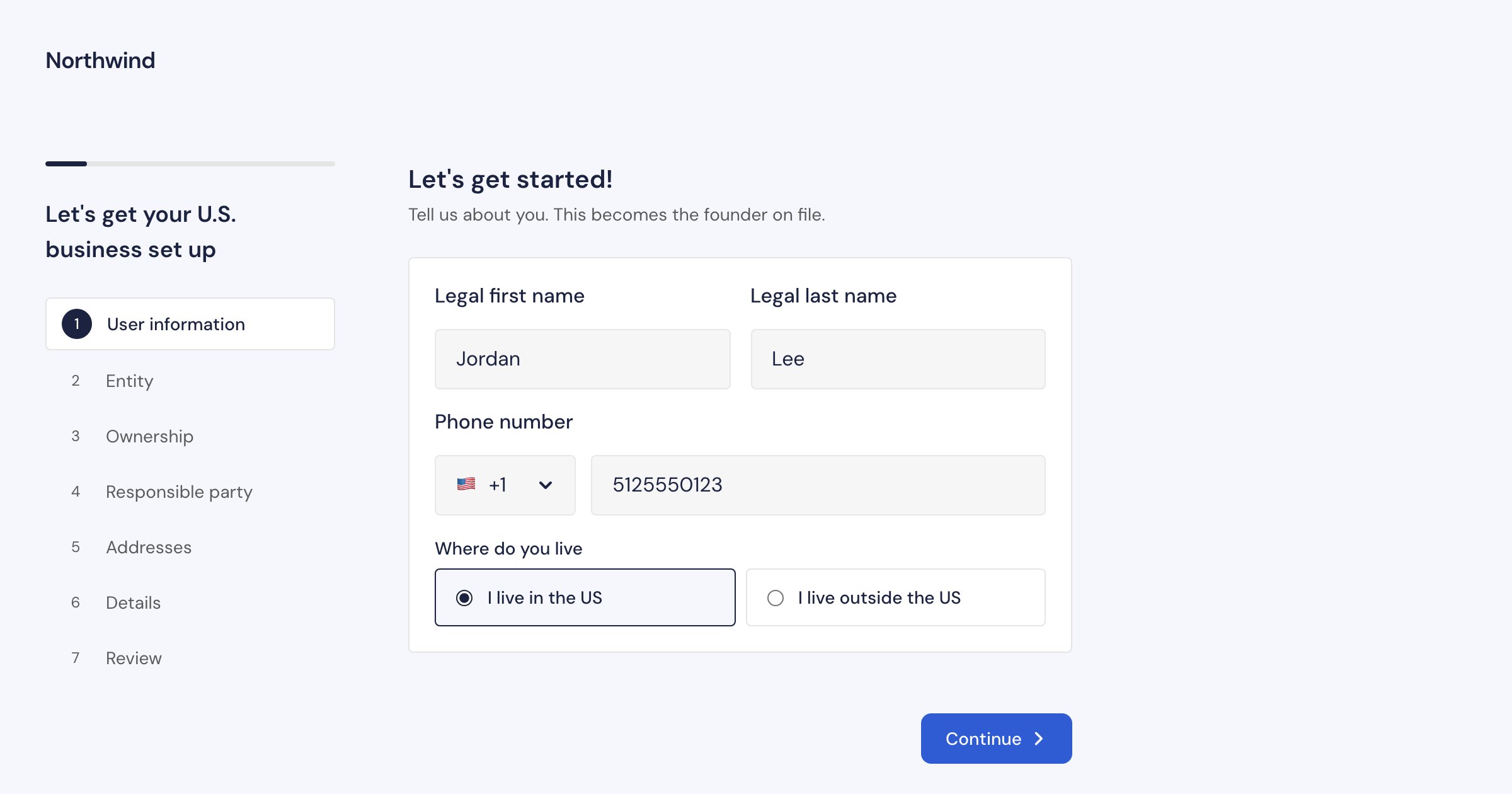
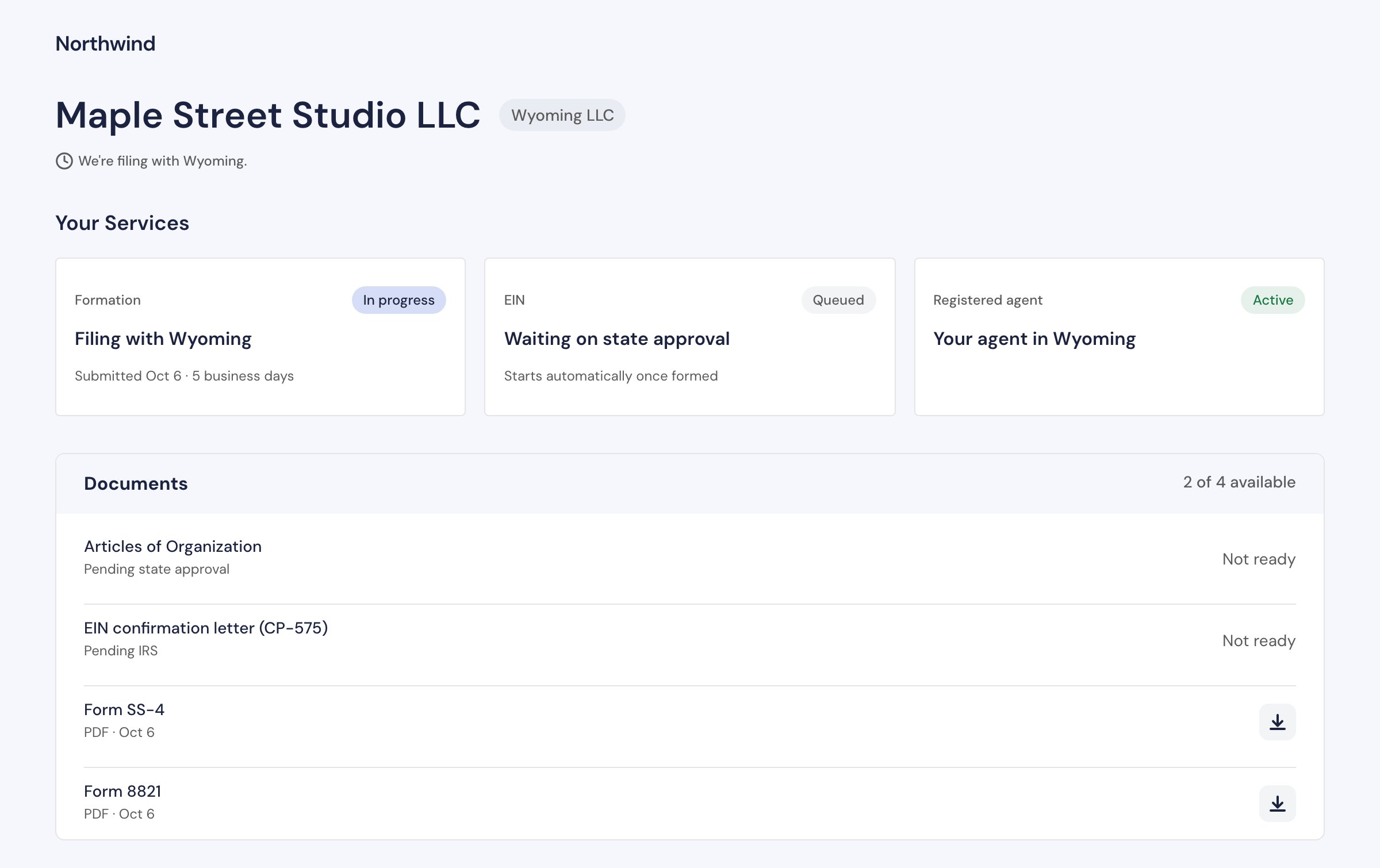
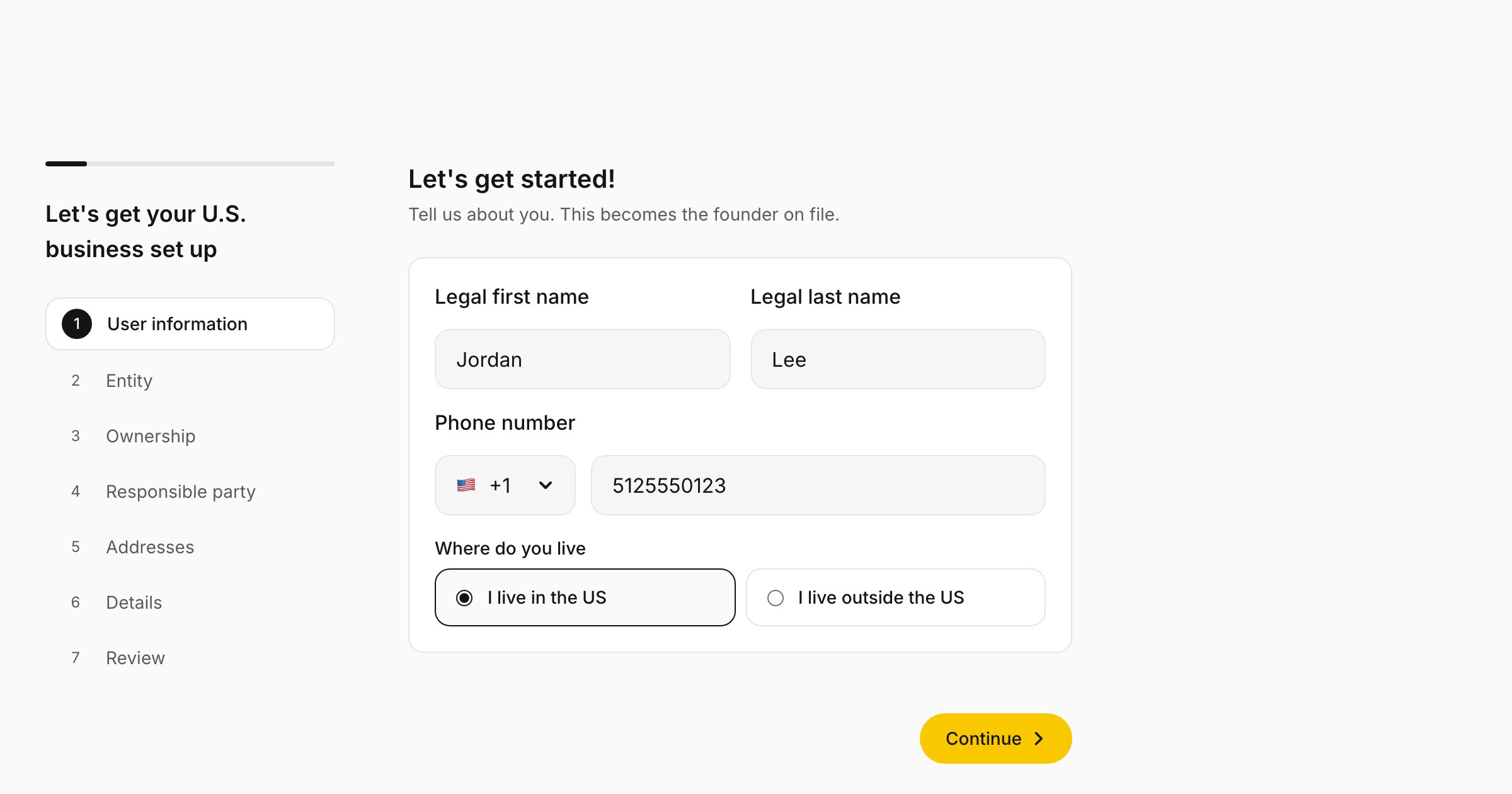
Your branding is not a code option. You set it in the [Partner Portal](https://partners-portal.doola.com) under **SDK → Branding**, and the iframe applies it to every founder who opens the SDK with your publishable key. The tab previews your unsaved changes in the real SDK as you edit, on the wizard (**Onboarding**) or on a sample company's **Dashboard**. Press **Save branding** to apply them: founders get the new values within about a minute, with no deploy on your side.
 ## What you can set
| Setting | Applies to | Accepts |
| - | - | - |
| **Logo** | The top of every screen, beside your brand name. Shown 24px tall and up to 160px wide, so a square icon works best. **Remove** takes it off | PNG or SVG, up to 2 MB |
| **Brand name** | The top of every screen, beside your logo. Clear it to remove it | Up to 64 characters, no angle brackets |
| **Primary** | Primary buttons and in-progress badges | A six-digit hex color, such as `#4F8FF6` |
| **Secondary** | The border of the focused field, and selected options | A six-digit hex color |
| **Background** | The surface behind every screen | A six-digit hex color |
| **Text** | Headings and body copy | A six-digit hex color |
| **Danger** | Validation messages and failures | A six-digit hex color |
| **Typeface** | All text | Inter, Geist, DM Sans, Instrument Serif or System default |
| **Corner radius** | Fields and cards take it as set, up to 2rem. Buttons take twice it, up to 1.5rem, so `0` gives square buttons | `0`, or a length such as `8px`, `0.5rem` or `50%`. A percentage is read against 64px, so `50%` is 32px |
Each environment is a separate partner account, so set your branding in the sandbox portal and in the production portal.
## Pick colors that read well
* **Button text follows your primary.** It turns white on a dark primary and stays dark (`#141414`) on a light one, whichever reads better. A mid-tone primary can fall short with both, so check that one of them reaches a contrast ratio of at least 4.5:1.
* **Some neutrals are fixed.** Muted text, card surfaces and borders keep doola's neutral grays so every screen stays legible on any background you choose. Pick a background close to white or a light tint.
* **Check every screen.** The wizard, the payment screen and the dashboard all use your colors. Check them in the portal's preview, then walk through them in sandbox before you go live.
## Defaults
Anything you leave unset falls back to doola's defaults: a yellow primary (`#F9C800`), a blue secondary (`#4F8FF6`), a near-white background, Inter, and `0.75rem` corners, which keep buttons fully rounded. With no logo and no brand name, the top of each screen stays empty.
The iframe paints doola's defaults for a moment while it loads your branding. Mount it where a brief color change is not distracting, or start the connections early with [preconnect hints](/sdk/embed#load-faster).
## What stays doola
The flow is white-labeled. The founder sees your logo and colors and no "Powered by doola" line. doola's name still appears in two places:
* the registered agent, which doola provides: "doola Registered Agent (included)" on the Addresses step, and "Registered agent: doola (included)" on the review;
* the message shown when the founder's email already belongs to a doola account of their own.
The documents doola files, such as the Articles of Organization, the EIN letter and the signing pages for the IRS forms, are doola's and the state's own documents.
This documentation is built and hosted on [Mintlify](https://mintlify.com), a developer documentation platform.
## What you can set
| Setting | Applies to | Accepts |
| - | - | - |
| **Logo** | The top of every screen, beside your brand name. Shown 24px tall and up to 160px wide, so a square icon works best. **Remove** takes it off | PNG or SVG, up to 2 MB |
| **Brand name** | The top of every screen, beside your logo. Clear it to remove it | Up to 64 characters, no angle brackets |
| **Primary** | Primary buttons and in-progress badges | A six-digit hex color, such as `#4F8FF6` |
| **Secondary** | The border of the focused field, and selected options | A six-digit hex color |
| **Background** | The surface behind every screen | A six-digit hex color |
| **Text** | Headings and body copy | A six-digit hex color |
| **Danger** | Validation messages and failures | A six-digit hex color |
| **Typeface** | All text | Inter, Geist, DM Sans, Instrument Serif or System default |
| **Corner radius** | Fields and cards take it as set, up to 2rem. Buttons take twice it, up to 1.5rem, so `0` gives square buttons | `0`, or a length such as `8px`, `0.5rem` or `50%`. A percentage is read against 64px, so `50%` is 32px |
Each environment is a separate partner account, so set your branding in the sandbox portal and in the production portal.
## Pick colors that read well
* **Button text follows your primary.** It turns white on a dark primary and stays dark (`#141414`) on a light one, whichever reads better. A mid-tone primary can fall short with both, so check that one of them reaches a contrast ratio of at least 4.5:1.
* **Some neutrals are fixed.** Muted text, card surfaces and borders keep doola's neutral grays so every screen stays legible on any background you choose. Pick a background close to white or a light tint.
* **Check every screen.** The wizard, the payment screen and the dashboard all use your colors. Check them in the portal's preview, then walk through them in sandbox before you go live.
## Defaults
Anything you leave unset falls back to doola's defaults: a yellow primary (`#F9C800`), a blue secondary (`#4F8FF6`), a near-white background, Inter, and `0.75rem` corners, which keep buttons fully rounded. With no logo and no brand name, the top of each screen stays empty.
The iframe paints doola's defaults for a moment while it loads your branding. Mount it where a brief color change is not distracting, or start the connections early with [preconnect hints](/sdk/embed#load-faster).
## What stays doola
The flow is white-labeled. The founder sees your logo and colors and no "Powered by doola" line. doola's name still appears in two places:
* the registered agent, which doola provides: "doola Registered Agent (included)" on the Addresses step, and "Registered agent: doola (included)" on the review;
* the message shown when the founder's email already belongs to a doola account of their own.
The documents doola files, such as the Articles of Organization, the EIN letter and the signing pages for the IRS forms, are doola's and the state's own documents.
This documentation is built and hosted on [Mintlify](https://mintlify.com), a developer documentation platform.