> ## Documentation Index
> Fetch the complete documentation index at: https://docs.doola.com/llms.txt
> Use this file to discover all available pages before exploring further.
> ## Agent Instructions
> Authenticate with the raw API key in the Authorization header. Never add a Bearer prefix.
> Use the sandbox base URL https://api.test.doola.com and a dk_test_ key in examples unless the user asks for production.
> Send an Idempotency-Key header on POST /v1/partner/customers and POST /v1/partner/companies. No other endpoint takes one.
> Every response is wrapped as {payload, error}. Read fields from payload and branch on error.code, never on the message.
> Drive formation progress from webhooks plus a reconciliation sweep, never a polling loop.
> Embedded SDK (@doola/js): the dk_ key stays on the server and mints customer sessions; the browser gets only a pk_ key and the session. onFormed carries only companyId and can fire more than once. Before charging, read the company with the dk_ key, require formationSubmissionStatus AWAITING_PAYMENT, check the owner's email, and price on the server. Then POST payment-confirmed, which answers 200 with an empty body, and replace the SDK element with a new doola.create() (never append a second one).
> The doola Formation MCP server at https://mcp.doola.com is for founders forming their own company with their own doola account. Partners integrate the Partner API or the Embedded SDK. The /mcp endpoint on this docs site only searches these docs.
> For a full capability summary with the rules above, read https://docs.doola.com/skill.md.
# Customer experience
> Every screen your customer sees in the SDK, from the first step of the wizard to their company dashboard.
Your customer never leaves your product. This page walks through what they see, in order, so your product, support and design teams know exactly what happens inside the SDK. The screenshots come from a sandbox account branded "doola"; yours carry your [logo, colors and font](/sdk/branding).
## The wizard
Seven short steps, with a progress list on the left on desktop and a compact "Step 2 of 7: Entity" indicator on phones. **Back** returns one step at a time, and the review lets the founder edit any section before submitting. Names and addresses take standard English letters and numbers only.
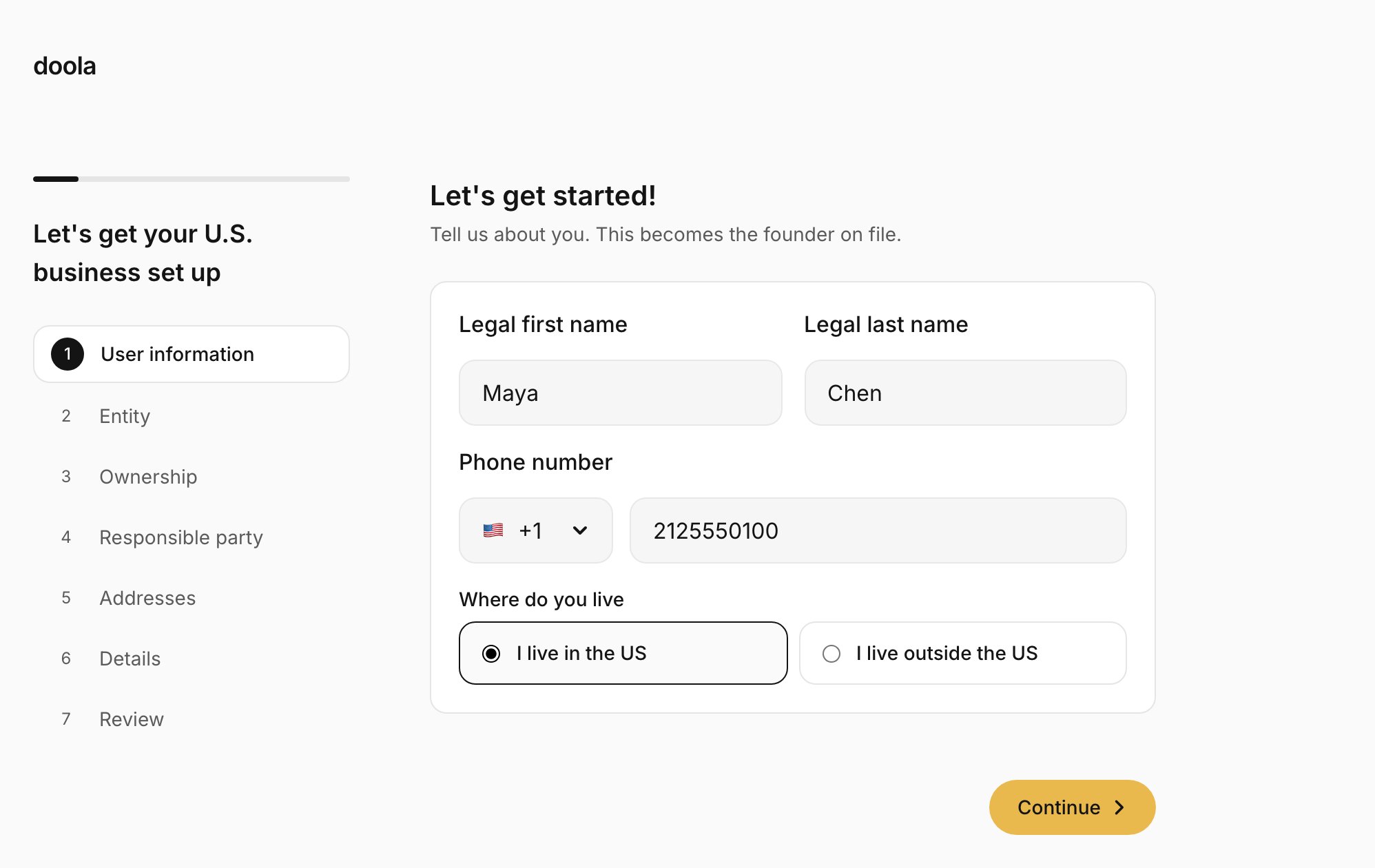
The founder's legal name, phone number and whether they live in the US or abroad. The phone field has a country code picker that starts on the founder's country, and a number typed with its domestic leading 0 is refused with "Leave out the leading 0". Their account email comes from your sign-in, so they never type it here.
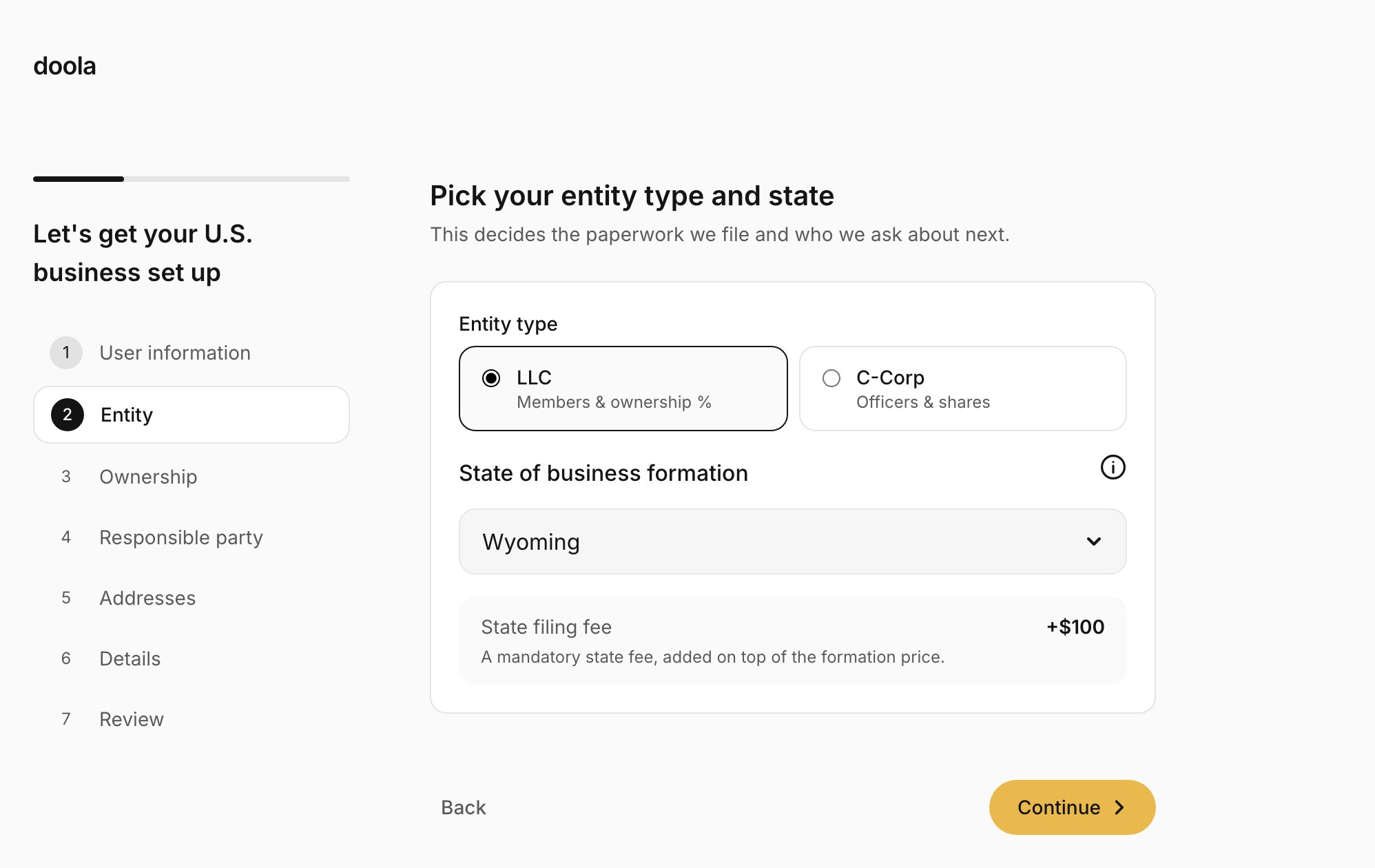
 LLC or C-Corp, and the state to form in. The recommended state is picked for them and marked "(Recommended)": Delaware for a C-Corp, Wyoming for an LLC whose founder lives outside the US, and none for a US founder's LLC. As soon as a state is picked, they see its filing fee, for example "State filing fee +\$100", added on top of your price.
 For an LLC, the members and their ownership, which must total 100%. Members can be people or companies. Shares balance themselves: adding or removing a member splits 100% evenly, and editing one share makes the last member take up the difference. For a C-Corp, the authorized shares and par value, then the President, Treasurer, Secretary and Directors. An SSN or ITIN is optional for each person, and the field formats it as 123-45-6789 while they type.
The person the IRS treats as responsible for the company: one of the members or officers, or someone else, with their email address.
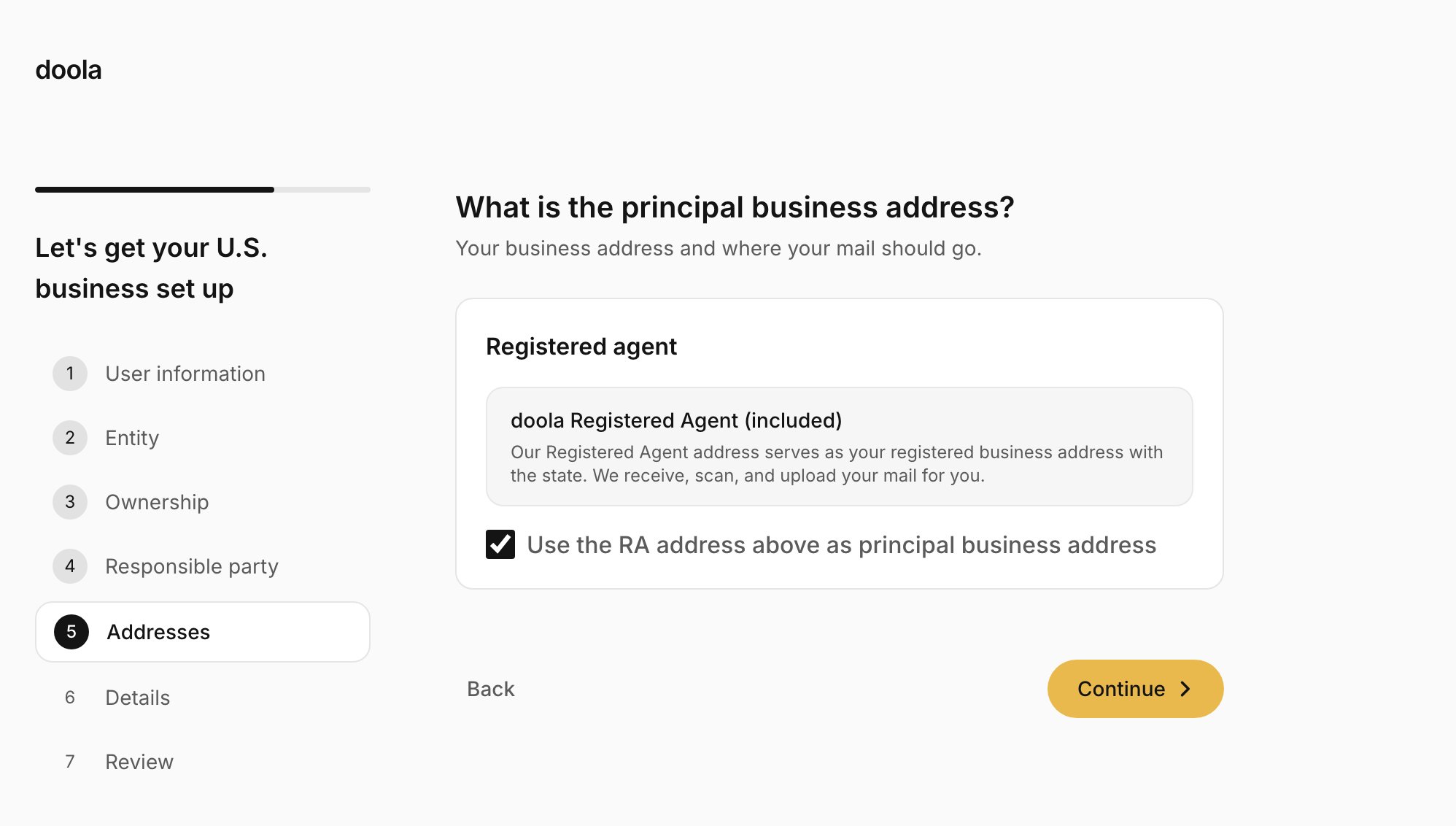
The registered agent is always included, and doola's agent receives, scans and uploads the company's mail. The step asks for the **principal business address**:
* **The registered agent's address**, the default, while "Use the RA address above as principal business address" stays ticked.
* **The founder's own address**, anywhere in the US and not necessarily in the formation state, when they untick it.
Mail always goes to the registered agent.
For an LLC, the members and their ownership, which must total 100%. Members can be people or companies. Shares balance themselves: adding or removing a member splits 100% evenly, and editing one share makes the last member take up the difference. For a C-Corp, the authorized shares and par value, then the President, Treasurer, Secretary and Directors. An SSN or ITIN is optional for each person, and the field formats it as 123-45-6789 while they type.
The person the IRS treats as responsible for the company: one of the members or officers, or someone else, with their email address.
The registered agent is always included, and doola's agent receives, scans and uploads the company's mail. The step asks for the **principal business address**:
* **The registered agent's address**, the default, while "Use the RA address above as principal business address" stays ticked.
* **The founder's own address**, anywhere in the US and not necessarily in the formation state, when they untick it.
Mail always goes to the registered agent.
 Up to three company names in order of preference, each with its ending, such as LLC or Inc. Words a state forbids are refused on the spot, and words that need extra state approval show a warning. Then a short business description and the industry.
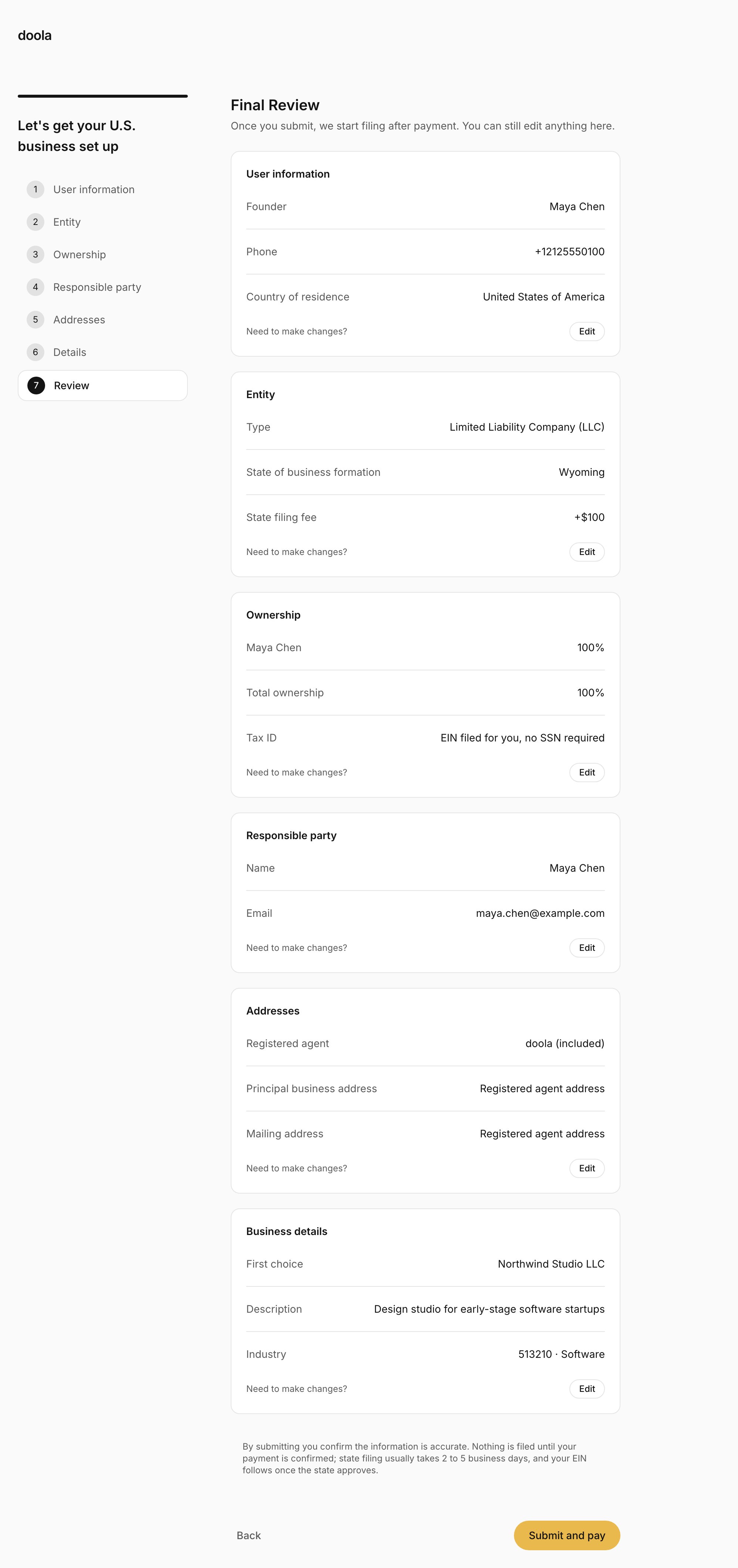
Every answer, section by section, with an **Edit** button on each. Addresses list the registered agent, the principal business address and the mailing address. The founder presses **Submit and pay**, with a reminder that filing starts after payment.
Up to three company names in order of preference, each with its ending, such as LLC or Inc. Words a state forbids are refused on the spot, and words that need extra state approval show a warning. Then a short business description and the industry.
Every answer, section by section, with an **Edit** button on each. Addresses list the registered agent, the principal business address and the mailing address. The founder presses **Submit and pay**, with a reminder that filing starts after payment.
 Progress is saved on every step. A founder who leaves can come back in the same browser within 7 days and continue where they stopped. For their security, any SSN or ITIN they typed is asked for again, or they can mark that the person has none.
## Your checkout
On submit, the SDK hands over to you. Your page opens your checkout, and the founder pays you. See [Take payment](/sdk/payments).
Progress is saved on every step. A founder who leaves can come back in the same browser within 7 days and continue where they stopped. For their security, any SSN or ITIN they typed is asked for again, or they can mark that the person has none.
## Your checkout
On submit, the SDK hands over to you. Your page opens your checkout, and the founder pays you. See [Take payment](/sdk/payments).
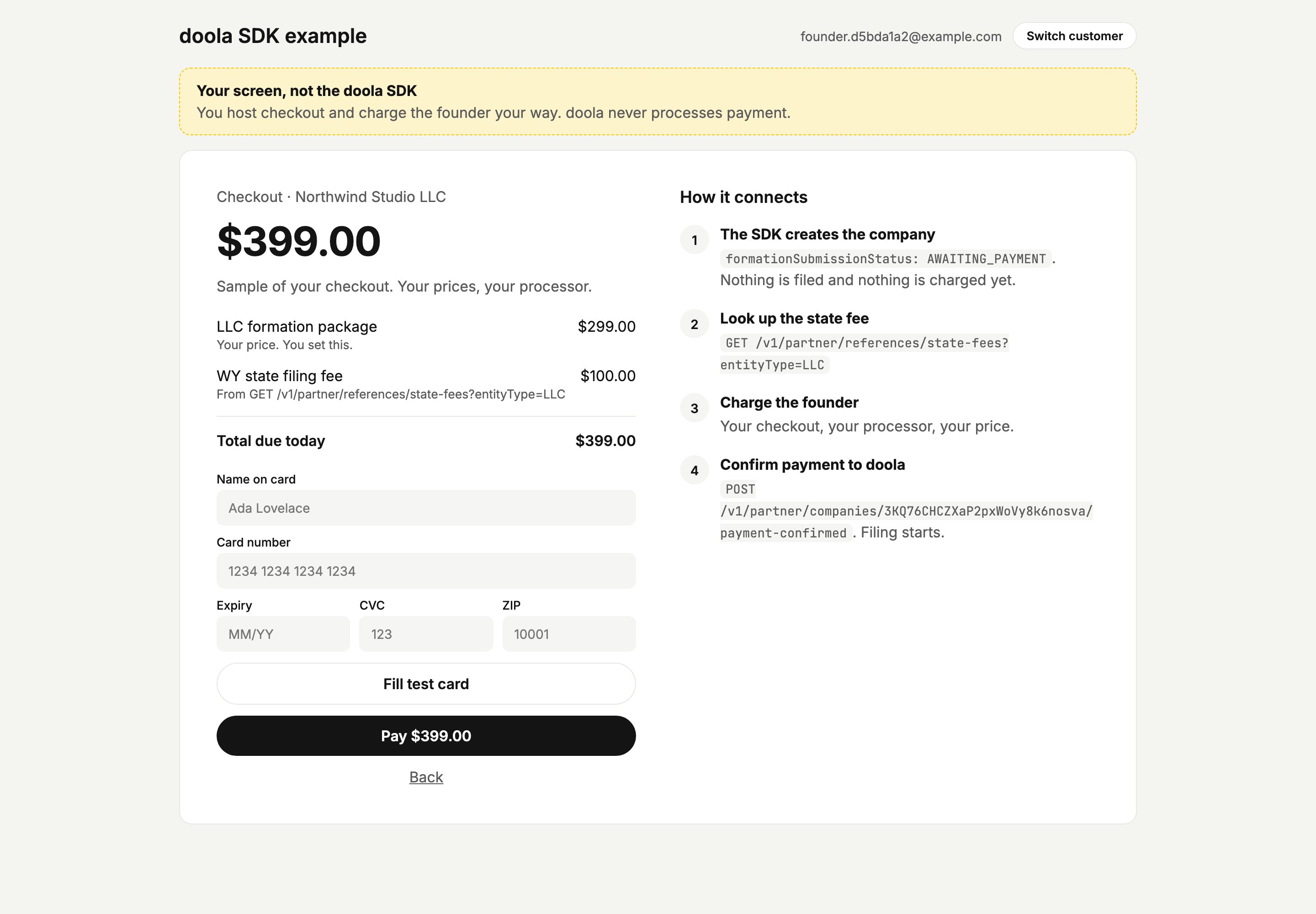 ## Payment pending
If the founder comes back to the SDK before you confirm payment, they see that their details are saved and payment is the last step. After a few seconds a small link lets them reopen your checkout. Once 10 minutes have passed since your checkout last opened, a **Continue to payment** button takes its place, including when they come back on a later day.
## Payment pending
If the founder comes back to the SDK before you confirm payment, they see that their details are saved and payment is the last step. After a few seconds a small link lets them reopen your checkout. Once 10 minutes have passed since your checkout last opened, a **Continue to payment** button takes its place, including when they come back on a later day.
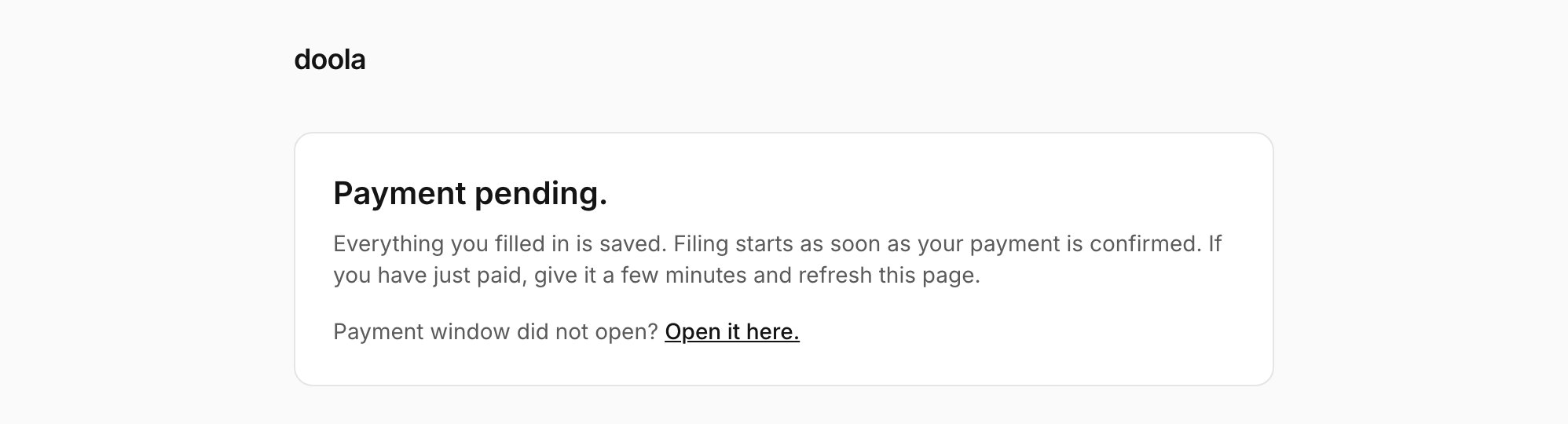 ## Signing
Once you confirm payment and mount the SDK again, a founder without an SSN signs the IRS Form SS-4 before anything else. Signing happens inside the SDK, with a link to open it in a new tab if it does not render.
## Signing
Once you confirm payment and mount the SDK again, a founder without an SSN signs the IRS Form SS-4 before anything else. Signing happens inside the SDK, with a link to open it in a new tab if it does not render.
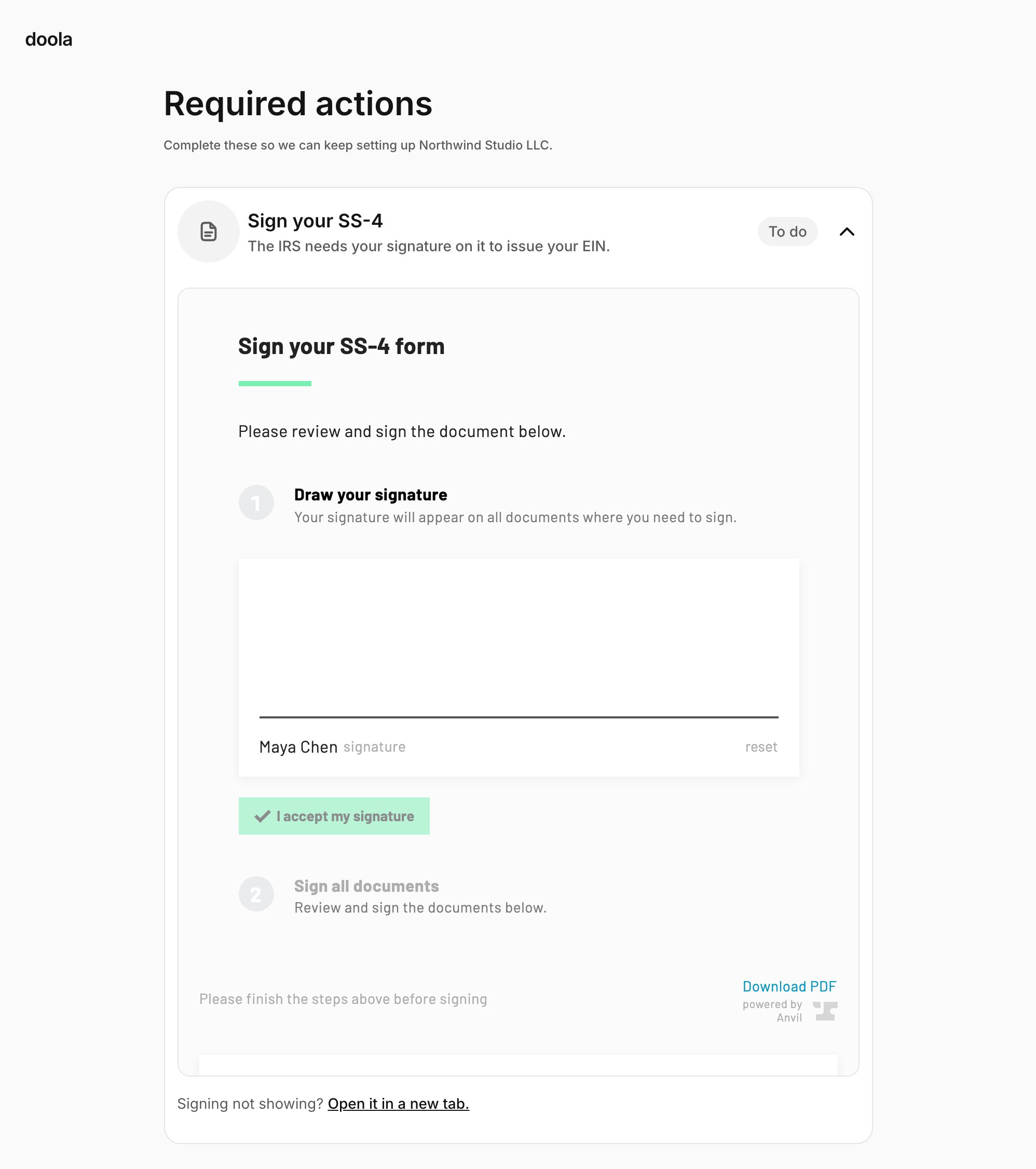 ## The dashboard
The founder's company, from then on:
* **The company name** with its state and entity type, and whether it is formed or being filed.
* **Their services:** Formation, EIN and Registered agent, each marked queued, in progress, active or completed.
* **Their documents,** each available to download as soon as it exists, with what is still pending from the state or the IRS.
* **A Required action banner** when doola needs something from them: another signature, or new company names.
## The dashboard
The founder's company, from then on:
* **The company name** with its state and entity type, and whether it is formed or being filed.
* **Their services:** Formation, EIN and Registered agent, each marked queued, in progress, active or completed.
* **Their documents,** each available to download as soon as it exists, with what is still pending from the state or the IRS.
* **A Required action banner** when doola needs something from them: another signature, or new company names.
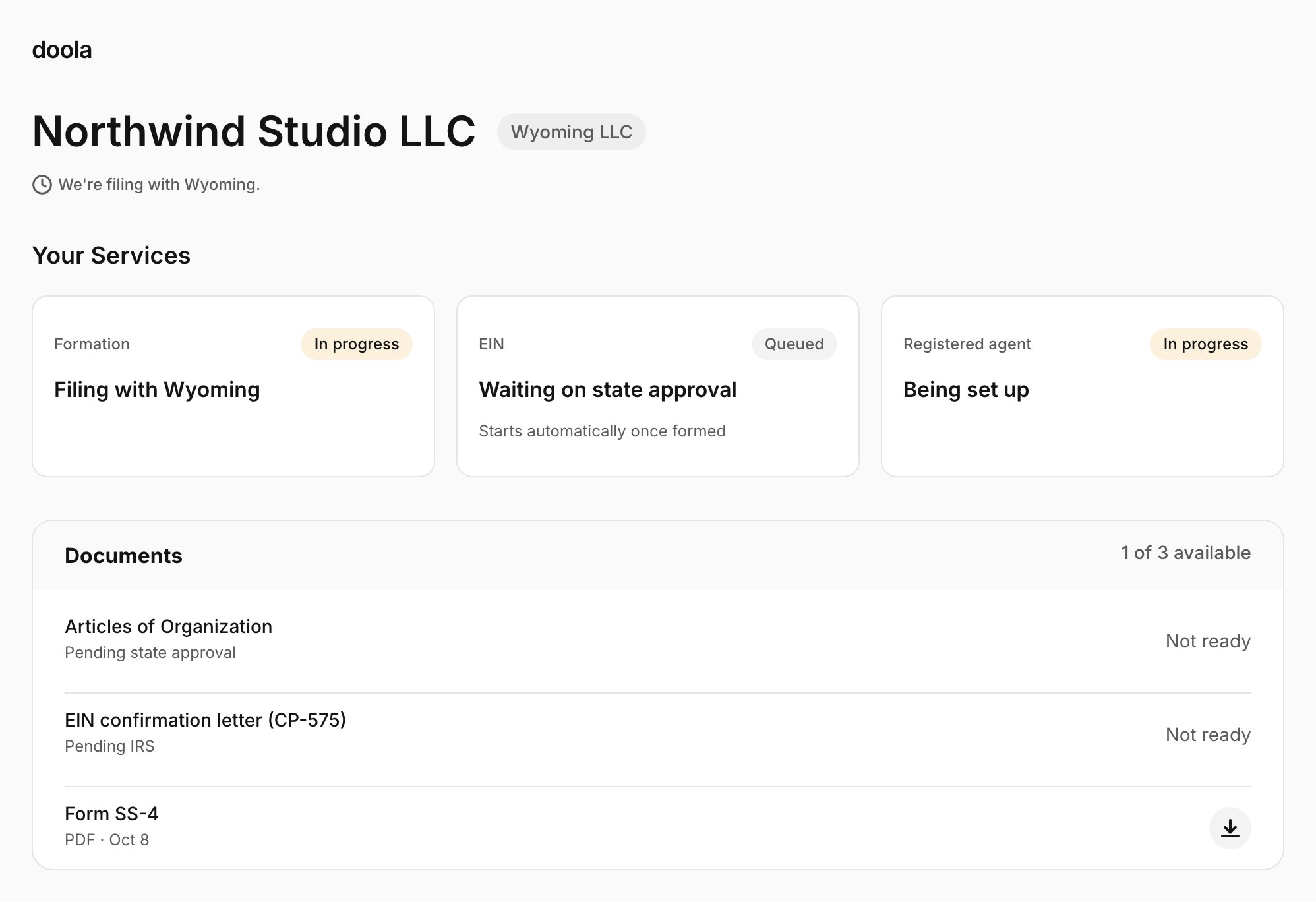 When the state rejects every name the founder gave, the banner reads "Your formation is paused until you complete your required action." Under **Required actions**, "Choose new company name" asks for a first choice and two optional backups, checked against the same rules as the wizard. Once they send them, the dashboard says "We are checking your new company names, and will let you know if we need anything else."
## When something goes wrong
The SDK explains problems to the founder in plain language and tells them what to do next:
| Situation | The founder sees |
| - | - |
| Your user's session ended | "This session has ended. Please sign in again to continue setting up your company." |
| Your session route failed | "We could not start your session" with **Try again**, which asks your route again. After three failed tries: "Please contact the team you signed up with." When the SDK mounts again on a session that has gone stale, the title reads "We lost your session" instead |
| Their email has its own doola account | "This email already has a doola account." and "Use a different email address to continue, or sign in to doola." |
| doola deactivated the customer | "This account is no longer active." with a pointer to your team |
| Your user id and doola's record disagree | "We could not open your account." with a pointer to your team |
| A submission needs changes | "Some details need a change", with buttons that jump to each step |
| Filing failed | "We could not complete your filing. This is a problem on our side, not something you did. Please contact the team you signed up with for next steps." |
| A status the SDK does not know yet | "We could not show your company right now. Please contact the team you signed up with, and they will help you continue." |
The email, deactivated and user id messages need your session route to forward doola's error code on a 409 ([Create sessions](/sdk/sessions)). Without it, the founder sees "We could not start your session." and "Please contact the team you signed up with." for each.
Several messages send the founder to "the team you signed up with", which is you, so make sure your support team knows when to contact doola.
This documentation is built and hosted on [Mintlify](https://mintlify.com), a developer documentation platform.
When the state rejects every name the founder gave, the banner reads "Your formation is paused until you complete your required action." Under **Required actions**, "Choose new company name" asks for a first choice and two optional backups, checked against the same rules as the wizard. Once they send them, the dashboard says "We are checking your new company names, and will let you know if we need anything else."
## When something goes wrong
The SDK explains problems to the founder in plain language and tells them what to do next:
| Situation | The founder sees |
| - | - |
| Your user's session ended | "This session has ended. Please sign in again to continue setting up your company." |
| Your session route failed | "We could not start your session" with **Try again**, which asks your route again. After three failed tries: "Please contact the team you signed up with." When the SDK mounts again on a session that has gone stale, the title reads "We lost your session" instead |
| Their email has its own doola account | "This email already has a doola account." and "Use a different email address to continue, or sign in to doola." |
| doola deactivated the customer | "This account is no longer active." with a pointer to your team |
| Your user id and doola's record disagree | "We could not open your account." with a pointer to your team |
| A submission needs changes | "Some details need a change", with buttons that jump to each step |
| Filing failed | "We could not complete your filing. This is a problem on our side, not something you did. Please contact the team you signed up with for next steps." |
| A status the SDK does not know yet | "We could not show your company right now. Please contact the team you signed up with, and they will help you continue." |
The email, deactivated and user id messages need your session route to forward doola's error code on a 409 ([Create sessions](/sdk/sessions)). Without it, the founder sees "We could not start your session." and "Please contact the team you signed up with." for each.
Several messages send the founder to "the team you signed up with", which is you, so make sure your support team knows when to contact doola.
This documentation is built and hosted on [Mintlify](https://mintlify.com), a developer documentation platform.