

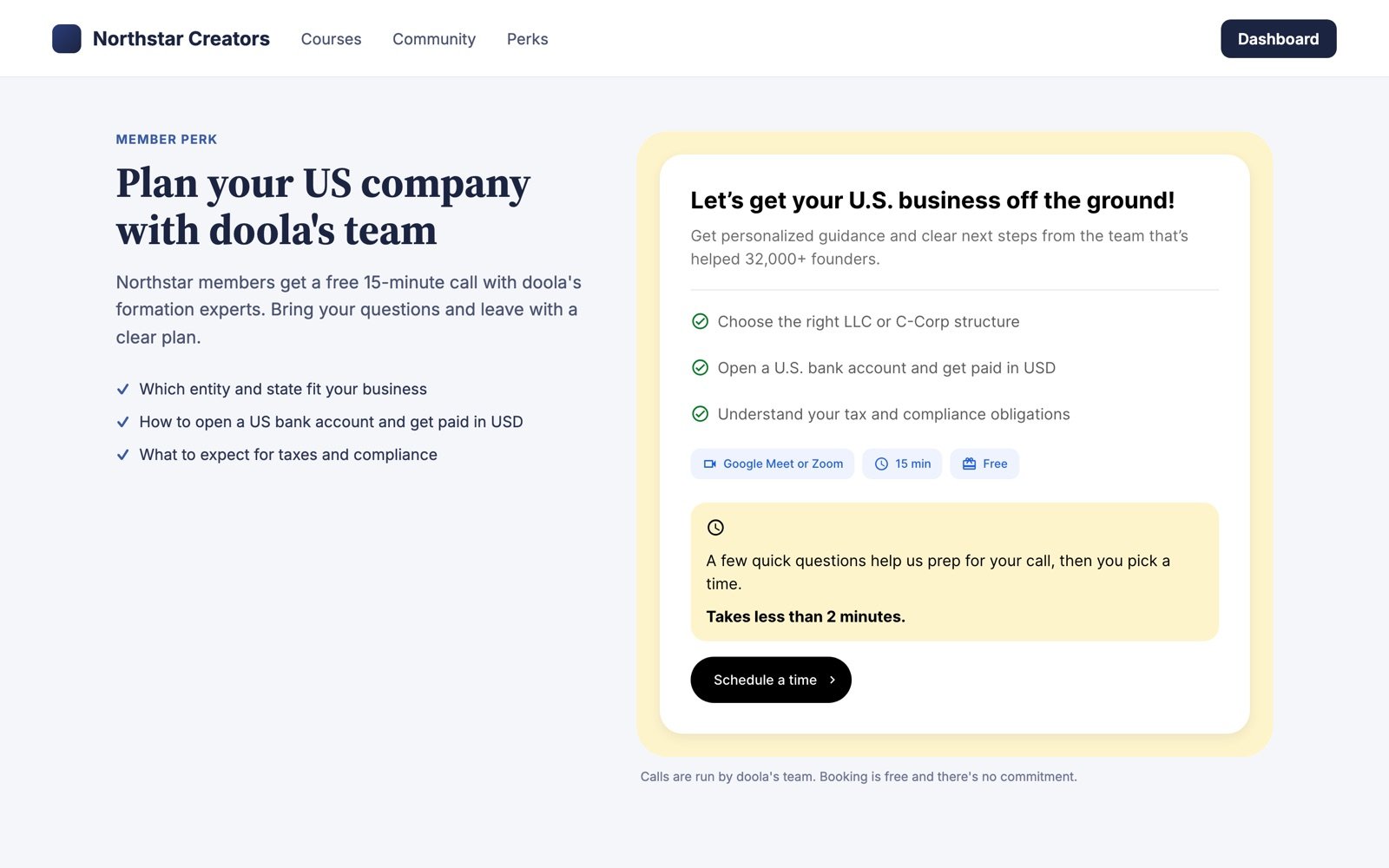
The widget on a sample partner's page, desktop.
How it works
1
Intro
The visitor sees a short intro and clicks to book.
2
Their details
They enter their name, email and country.
3
Their topic
They tell us what they’d like to discuss.
4
Pick a time
They pick a time in the calendar, and get a confirmation.
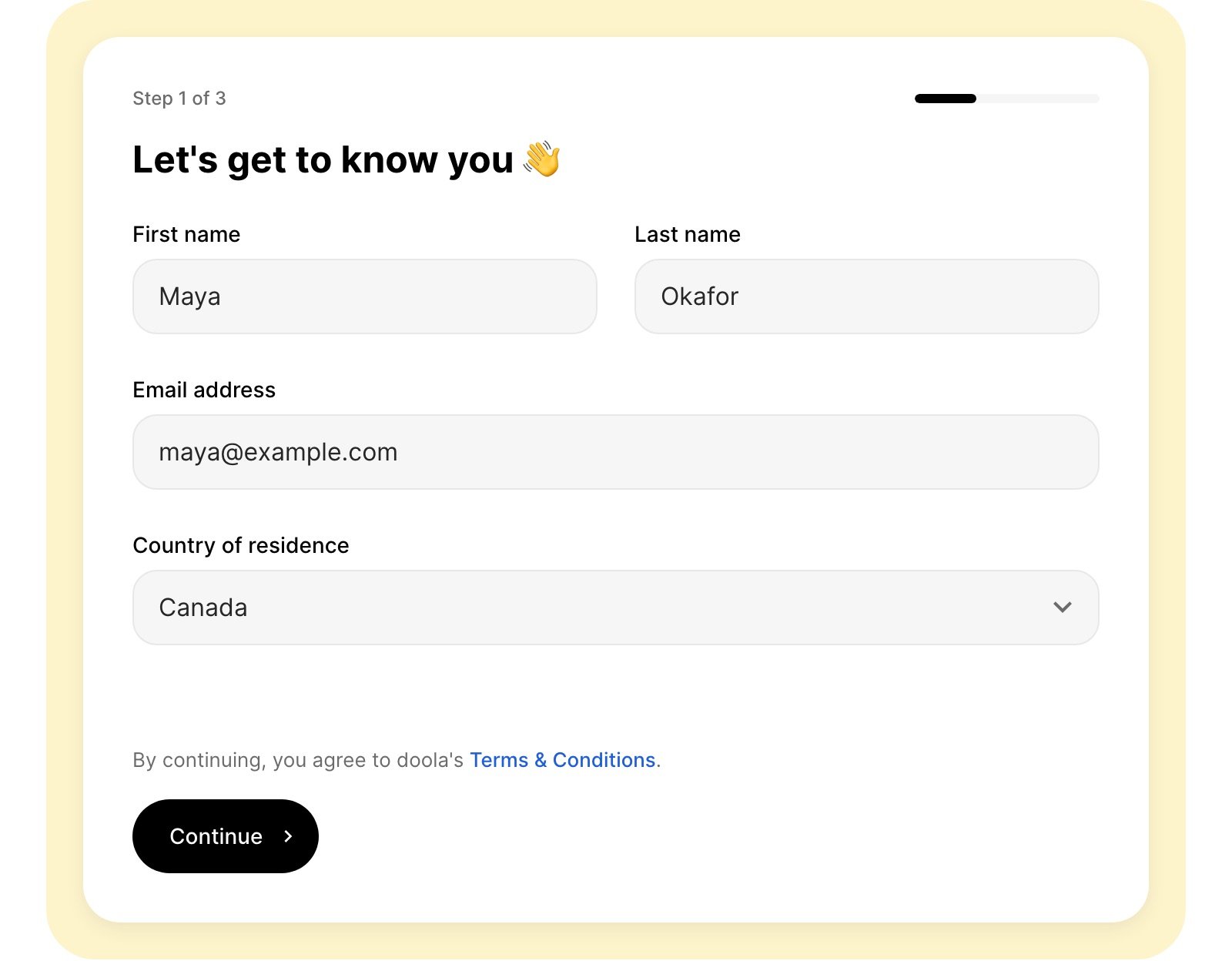
Their details
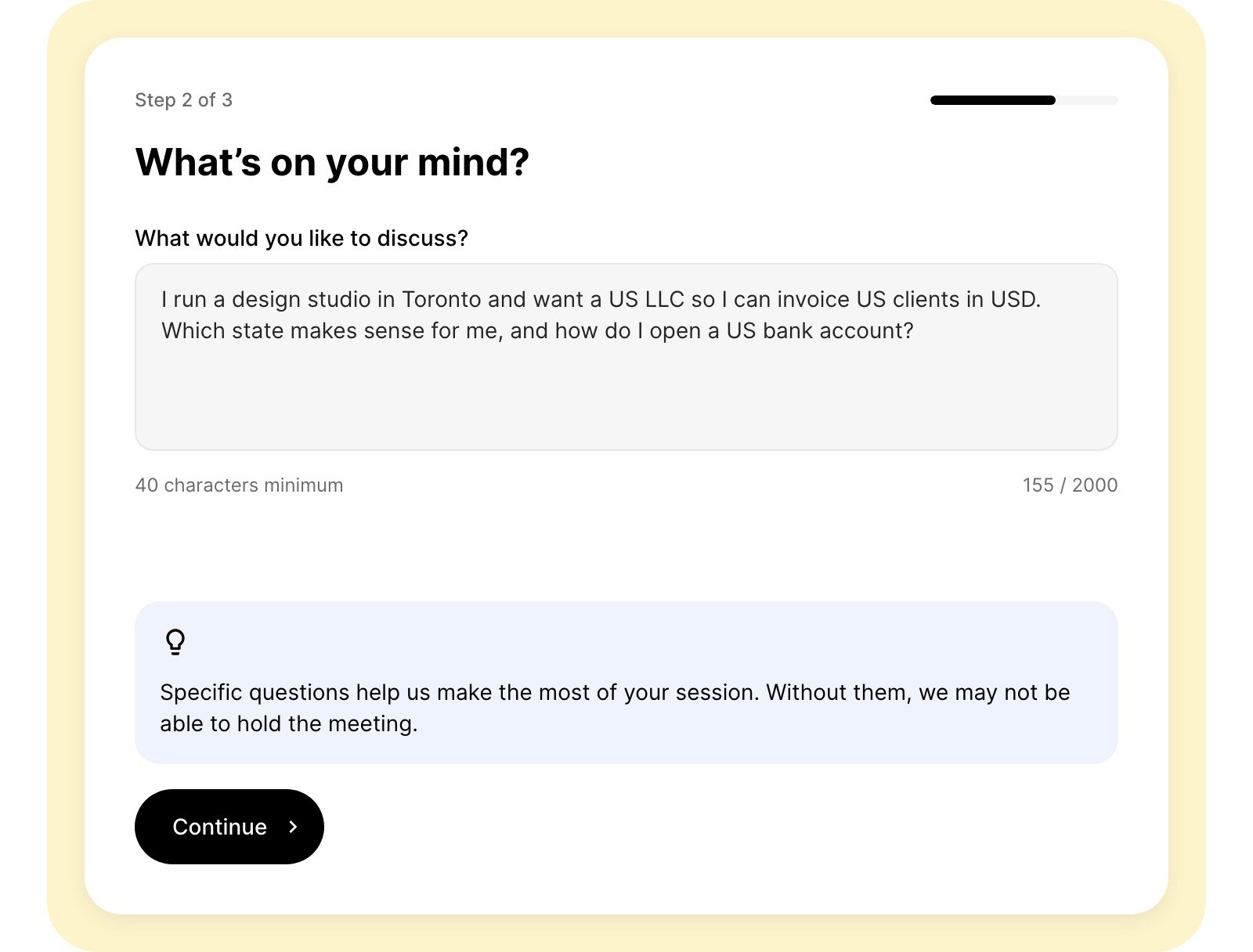
Their topic
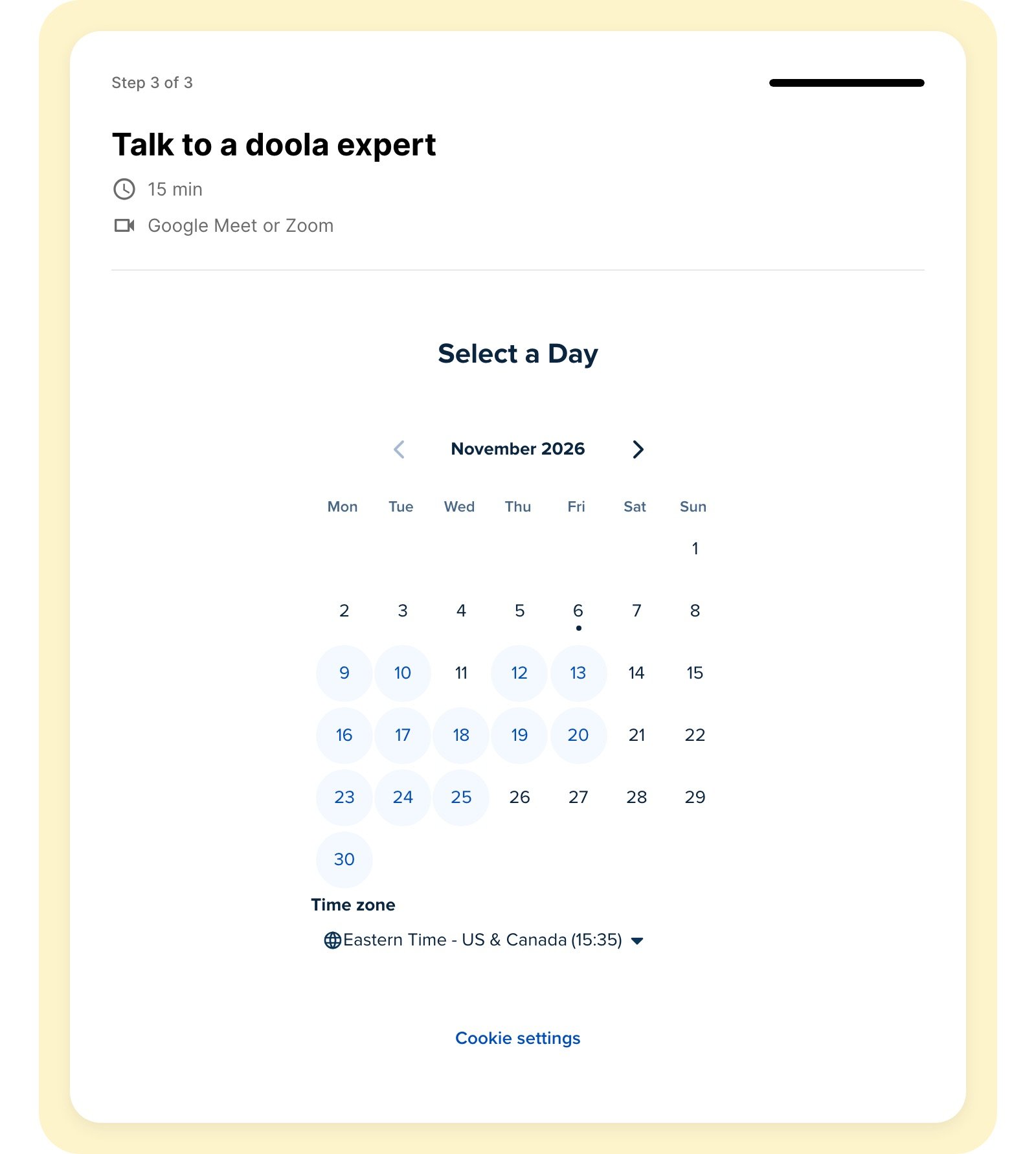
Pick a time
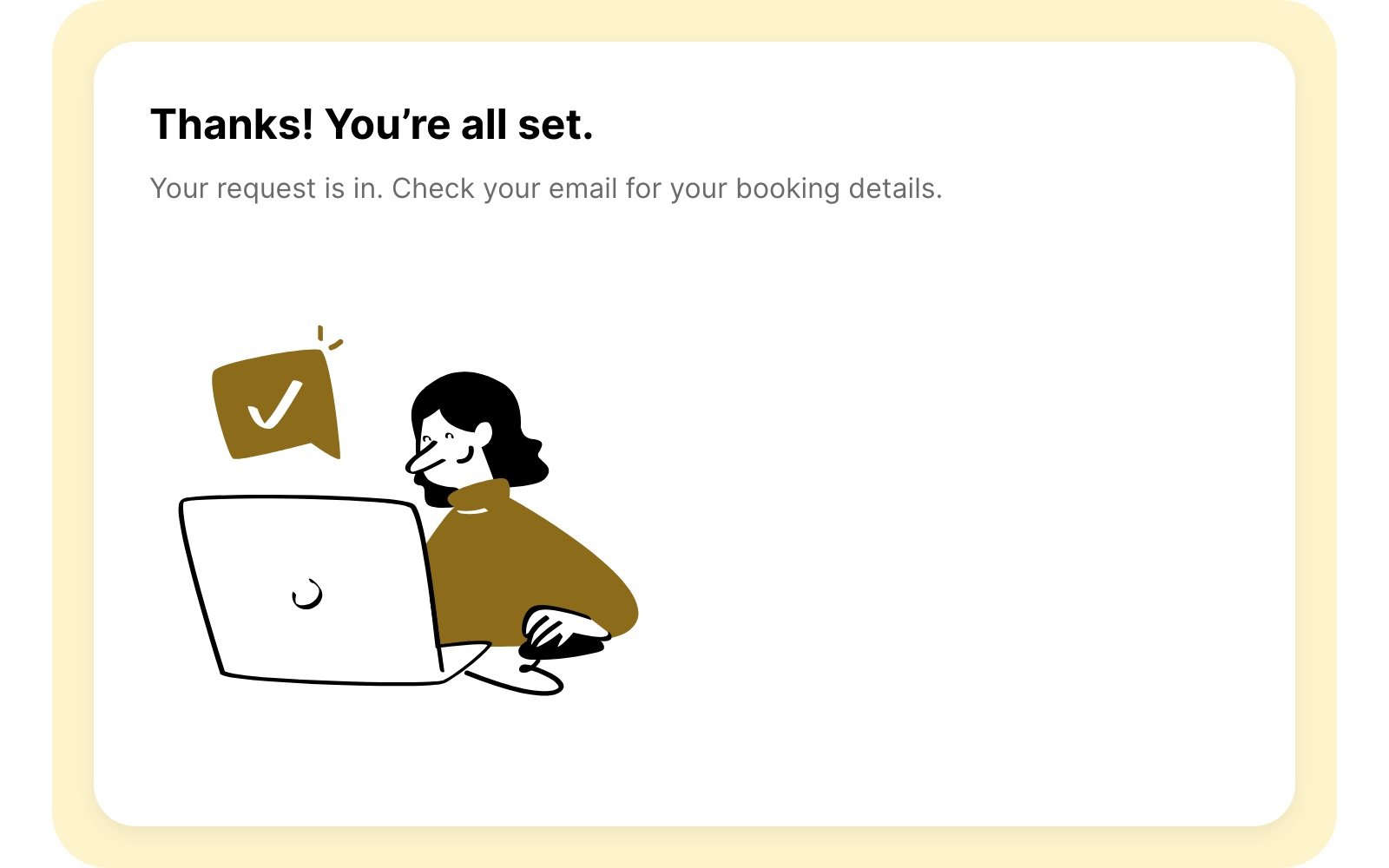
Confirmation
Add it to your site
Paste this snippet where you want the widget to appear, and replaceYOUR_REFERRAL_LINK with your PartnerStack referral link (for example https://partnersps.doola.com/yourlink). If your link has its own ? or &, URL-encode it first.
What each part does
- The iframe loads the widget. Your referral link in
link=is how bookings are credited to you. - The script resizes the iframe to fit the widget and hides the fallback link once the widget loads. It’s optional: without it, the widget stays 900px tall.
- The fallback link opens the widget in a new tab if your site blocks the iframe.
Requirements
- Your page must be served over HTTPS. The widget won’t load inside an
http://page. - Keep the URL as given. Only change the
link=value. - One widget per page. The snippet uses fixed ids, so a second copy on the same page keeps its fallback link visible.
- No doola cookies. The widget stores nothing in your visitors’ browsers. The calendar step is provided by Calendly, which shows its own cookie notice.
Best practices
- Give it some context. The widget works anywhere on your page, but it converts best inside a section that tells your visitors why they should book, for example “Free for our members: a 15-minute call with doola’s formation team.”
- Consider a dedicated page. A page with a memorable URL (for example
yoursite.com/doola) is easy to link to from emails, posts and your dashboard.
FAQ
Can we change the colors or add our logo?
Can we change the colors or add our logo?
Not yet. The widget uses doola’s branding and adapts to your page’s width.
What if we leave out the referral link?
What if we leave out the referral link?
The widget still works and bookings still reach doola, but they can’t be credited to you.
Who follows up with the visitor?
Who follows up with the visitor?
doola’s team runs the call and all follow-up. Nothing is needed from you.
Is there a spam check?
Is there a spam check?
Yes. A Cloudflare security check runs in the background, and visitors only see it if Cloudflare needs them to click.
How long does setup take?
How long does setup take?
Usually a few minutes: paste the snippet, add your link, publish.