

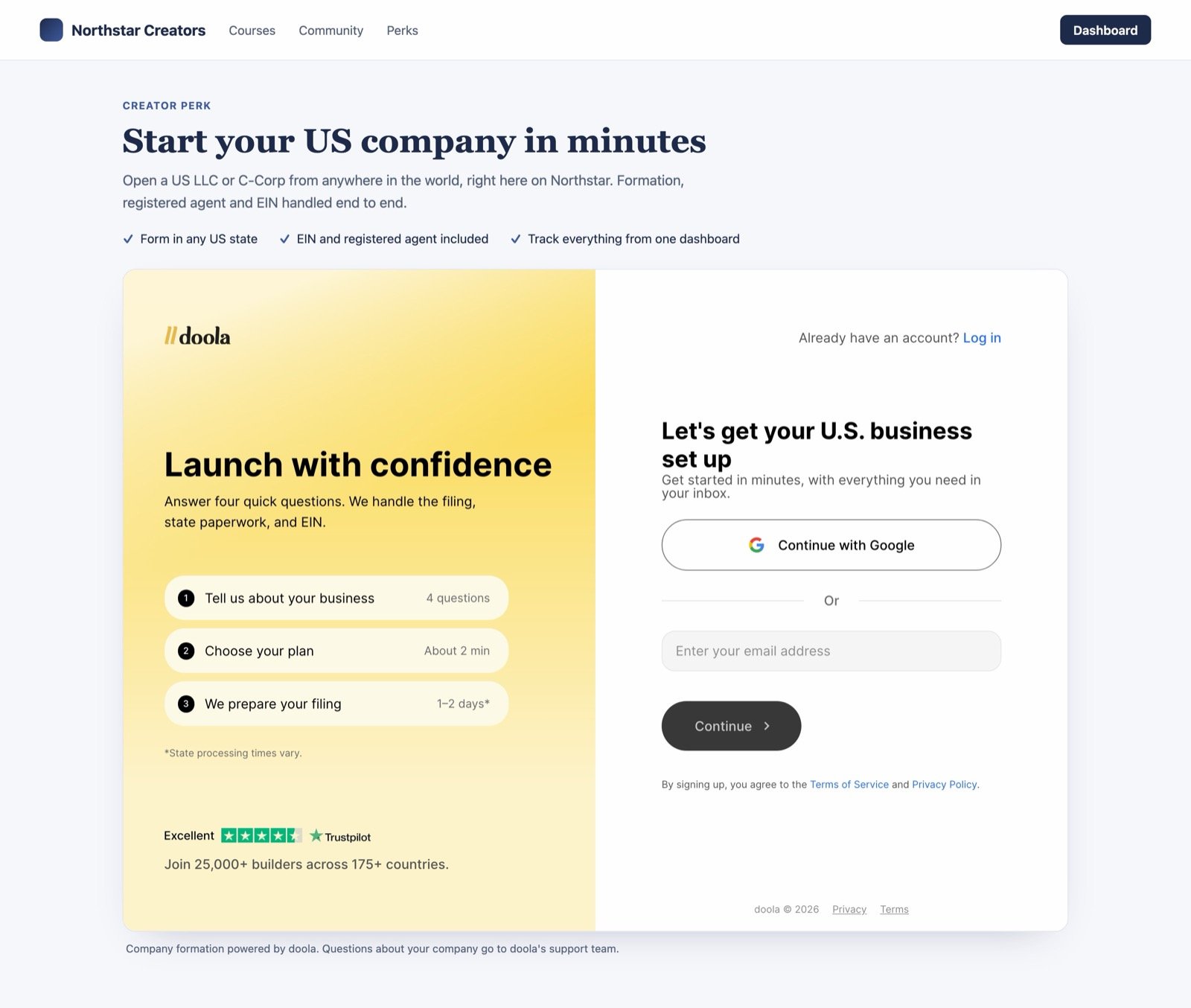
The widget on a sample partner's page, desktop.
How it works
1
Sign up
The visitor signs up with their email or with Google. Google opens in a small popup.
2
Five short questions
New or existing business, LLC or C-Corp, where they live, which state, and the company name.
3
Pick a plan and pay
They pick a plan, review the total and pay by card, all inside the widget.
4
Manage the company
They finish their account and manage the company from the same widget, or at app.doola.com with the same login.
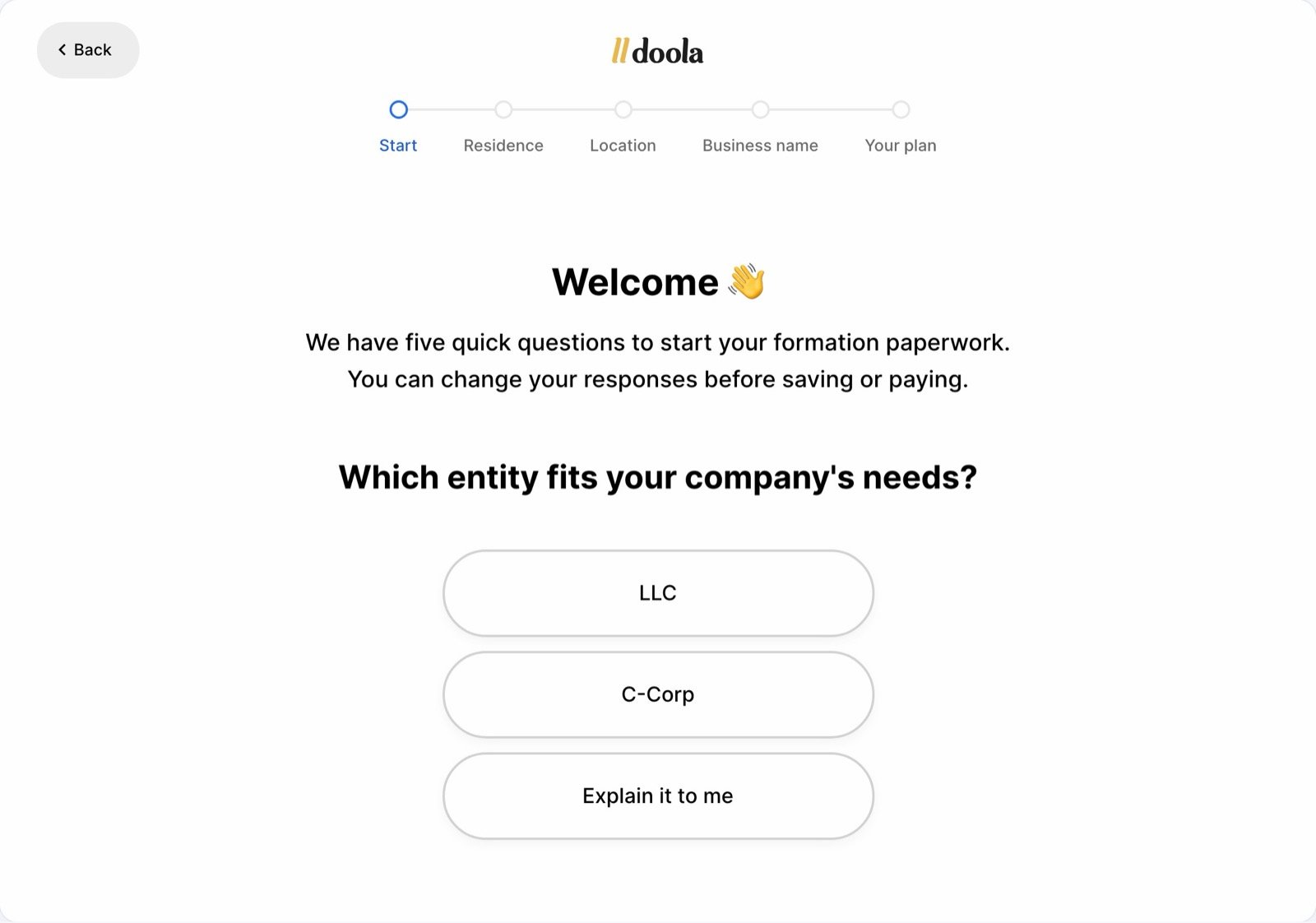
Five short questions
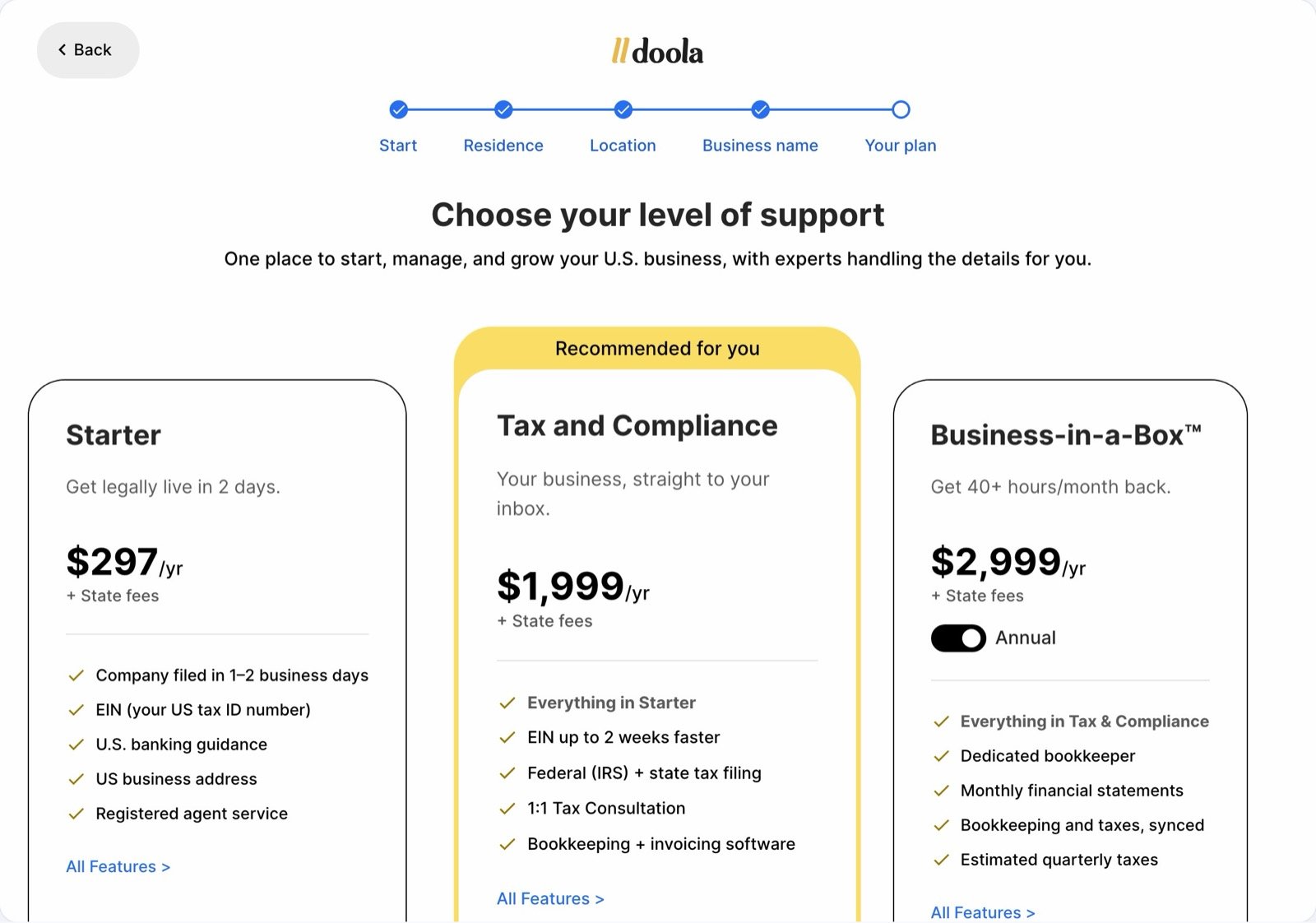
Plan choice
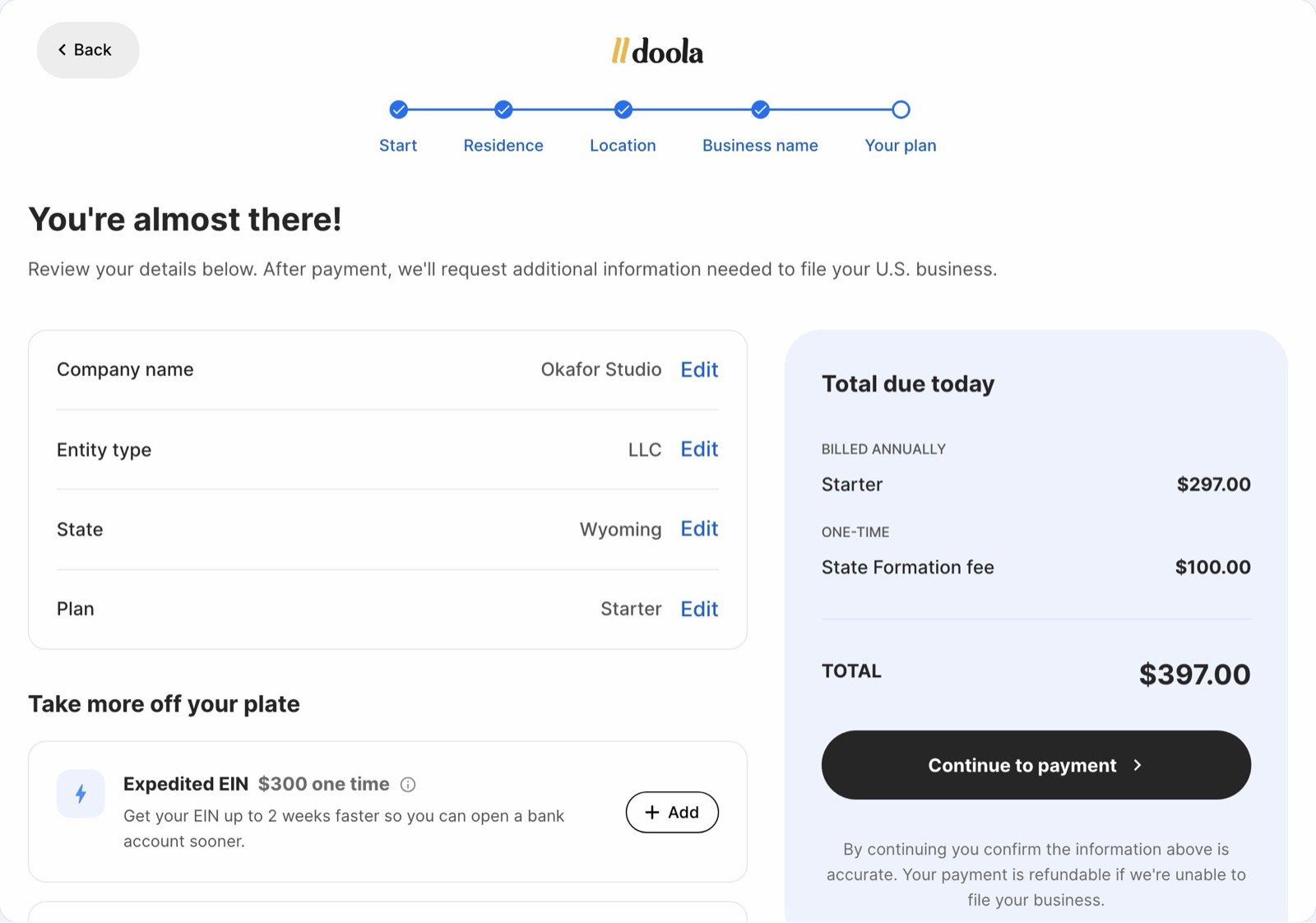
Review and pay
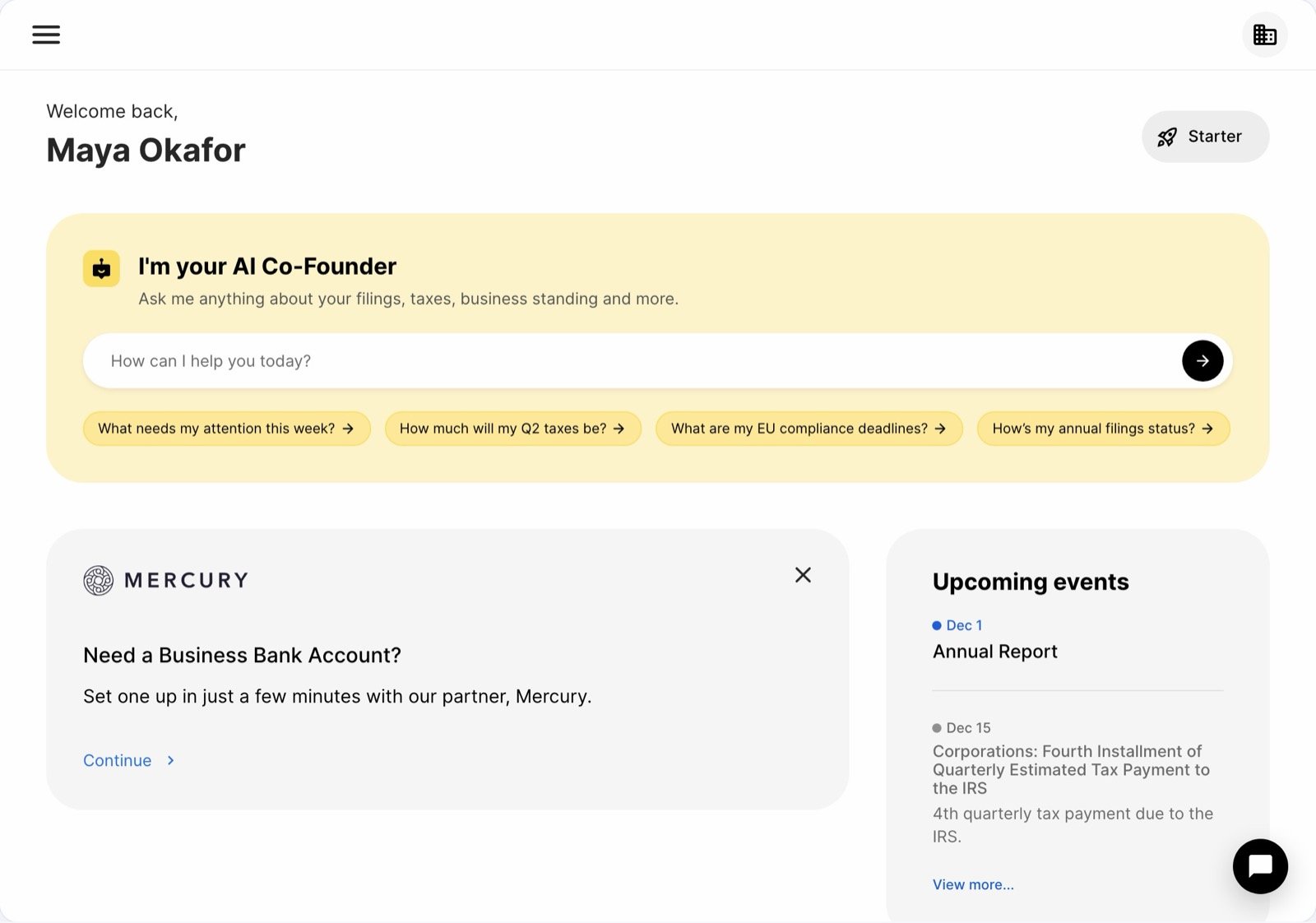
The customer's dashboard, inside the widget
Add it to your site
Paste this snippet where you want the widget to appear, and replaceYOUR_PARTNER_ID in both places with the ID doola sends you.
4242 4242 4242 4242, any future date and any CVC. No real company is formed.
What each part does
- The iframe loads the widget. Your partner ID in the URL is how signups are credited to you.
- The fallback link opens the same flow in a new tab, with the same credit. Keep it on the page: it helps visitors on Safari and iPhone (see Known limits).
Requirements
- Your page must be served over HTTPS. The widget won’t load inside an
http://page, including a localhttp://localhosttest page. - Keep the URL as given. Only change
YOUR_PARTNER_ID. - Don’t add a
sandboxattribute to the iframe. Google sign-in needs to open its popup. - Give it room. Full width of a container at least 1,024px wide on desktop, and at least 800px tall.
- Cookies. The widget is doola’s app running inside your page, so it sets doola’s cookies for sign-in, and doola’s analytics and marketing tools set their own, all under doola’s Privacy Policy. If your cookie notice lists third parties, include doola and its analytics and marketing tools.
Known limits
- Safari and iPhone or iPad. These browsers block sign-in cookies inside iframes from other sites, so a visitor there can lose their sign-in inside the widget. The fallback link lets them continue in a new tab, still credited to you.
- Account and billing changes open in a new tab. To keep accounts safe, the widget asks the customer to open doola in a new tab to change their email or password, delete their account, remove or dissolve a company, disconnect a bank or payment account, or cancel a subscription. Signup, the formation questions, payment and company setup all work inside the widget.
- Mobile apps. Open the production URL directly in an in-app browser (Safari View Controller on iOS, Chrome Custom Tabs on Android) instead of placing the iframe inside a web view. Google sign-in doesn’t work inside web views.
Best practices
- Use a dedicated page. A clean page with a memorable URL (for example
yoursite.com/llc) is easy to link to and return to. Avoid placing the widget inside a blog post, a sidebar or a modal. - Give it some context. A short intro above the widget converts better, for example “Members get their US company formed by doola: LLC or C-Corp, EIN and registered agent included.”
- Say who does what. A line like “Company formation powered by doola” under the widget keeps company questions with doola’s support team.
Going live
1
Kickoff
doola sends your partner ID.
2
Sandbox
Paste the sandbox snippet, then run a test signup and a test payment on desktop and on a phone.
3
Go live
Swap in the production snippet and publish.
FAQ
Can we change the colors or add our logo?
Can we change the colors or add our logo?
Not in the widget. It uses doola’s branding and adapts to your page’s width. For a fully branded experience, see platform integrations.
How are signups credited to us?
How are signups credited to us?
Your partner ID is in the widget URL. Every new doola account created in the widget or through its fallback link, by email or Google, is recorded against it, and doola adds it to your PartnerStack account. Visitors who already have a doola account and log in through the widget are not credited.
Who emails the customer and answers their questions?
Who emails the customer and answers their questions?
doola sends all onboarding and account emails, and doola’s support team handles questions about the company, EIN, registered agent and taxes.
What reporting do we get?
What reporting do we get?
Reporting is on request: visitors who entered the flow, drop-off points, companies formed, plans purchased and renewals.
How do we handle GDPR or CCPA deletion requests?
How do we handle GDPR or CCPA deletion requests?
Forward them to bd-team@doola.com and we delete all doola-held records for that person. Requests made to doola directly need no action from you. You still handle data in your own systems.
Does it work in mobile apps?
Does it work in mobile apps?
Yes, opened in an in-app browser. See Known limits.
Is there a public demo?
Is there a public demo?
No. To protect production, we share a sandbox snippet for testing, and the screenshots on this page show the main screens.
How long does setup take?
How long does setup take?
Pasting the snippet takes minutes. Once doola has sent your partner ID, the rest is your own testing, so you can go live the same day.