

The wizard
Seven short steps, with a progress list on the left on desktop and a compact “Step 2 of 7: Entity” indicator on phones. Back returns one step at a time, and the review lets the founder edit any section before submitting. Names and addresses take standard English letters and numbers only.1
User information
The founder’s legal name, phone number and whether they live in the US or abroad. The phone field has a country code picker that starts on the founder’s country, and a number typed with its domestic leading 0 is refused with “Leave out the leading 0”. Their account email comes from your sign-in, so they never type it here.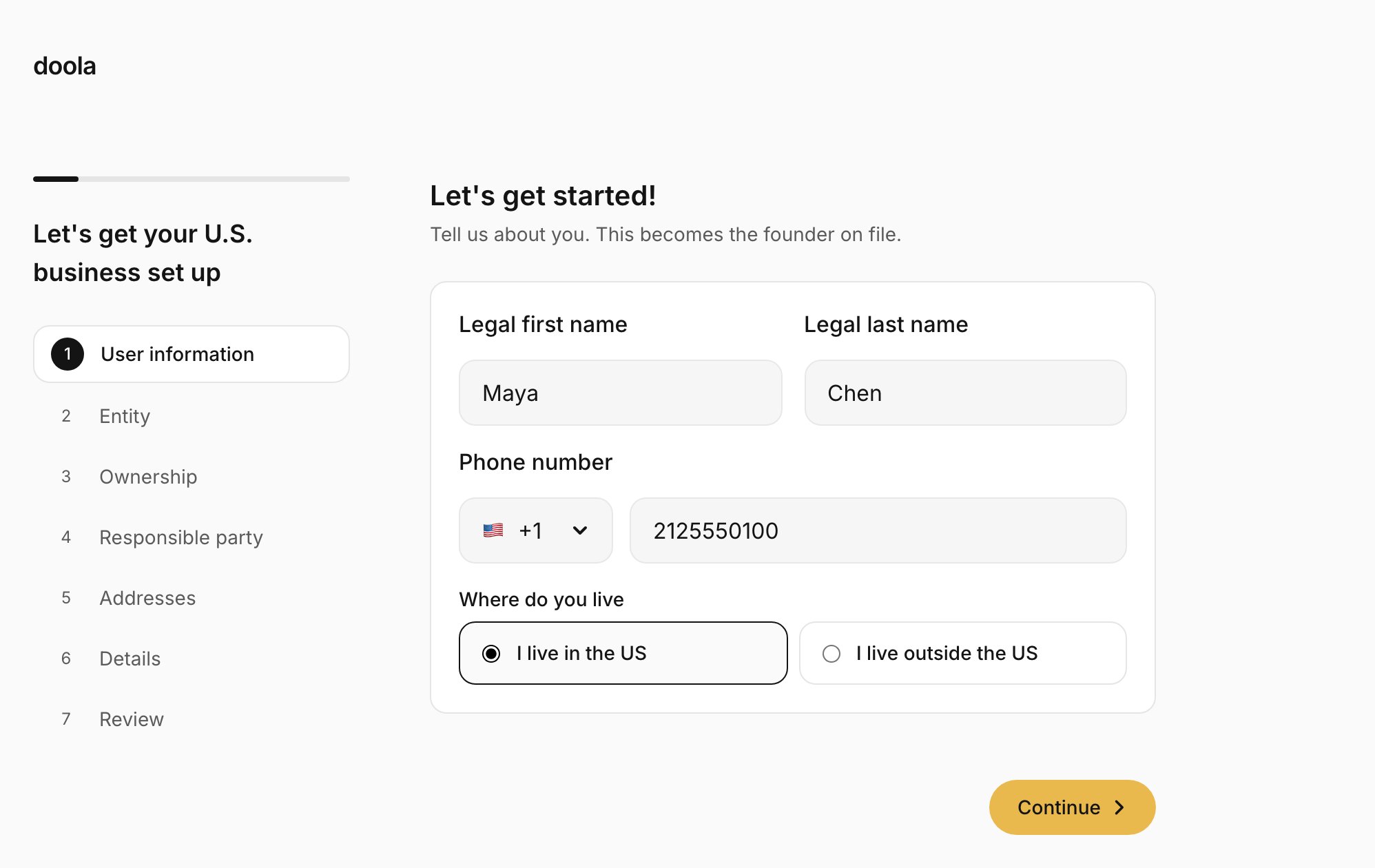
2
Entity
LLC or C-Corp, and the state to form in. The recommended state is picked for them and marked “(Recommended)”: Delaware for a C-Corp, Wyoming for an LLC whose founder lives outside the US, and none for a US founder’s LLC. As soon as a state is picked, they see its filing fee, for example “State filing fee +$100”, added on top of your price.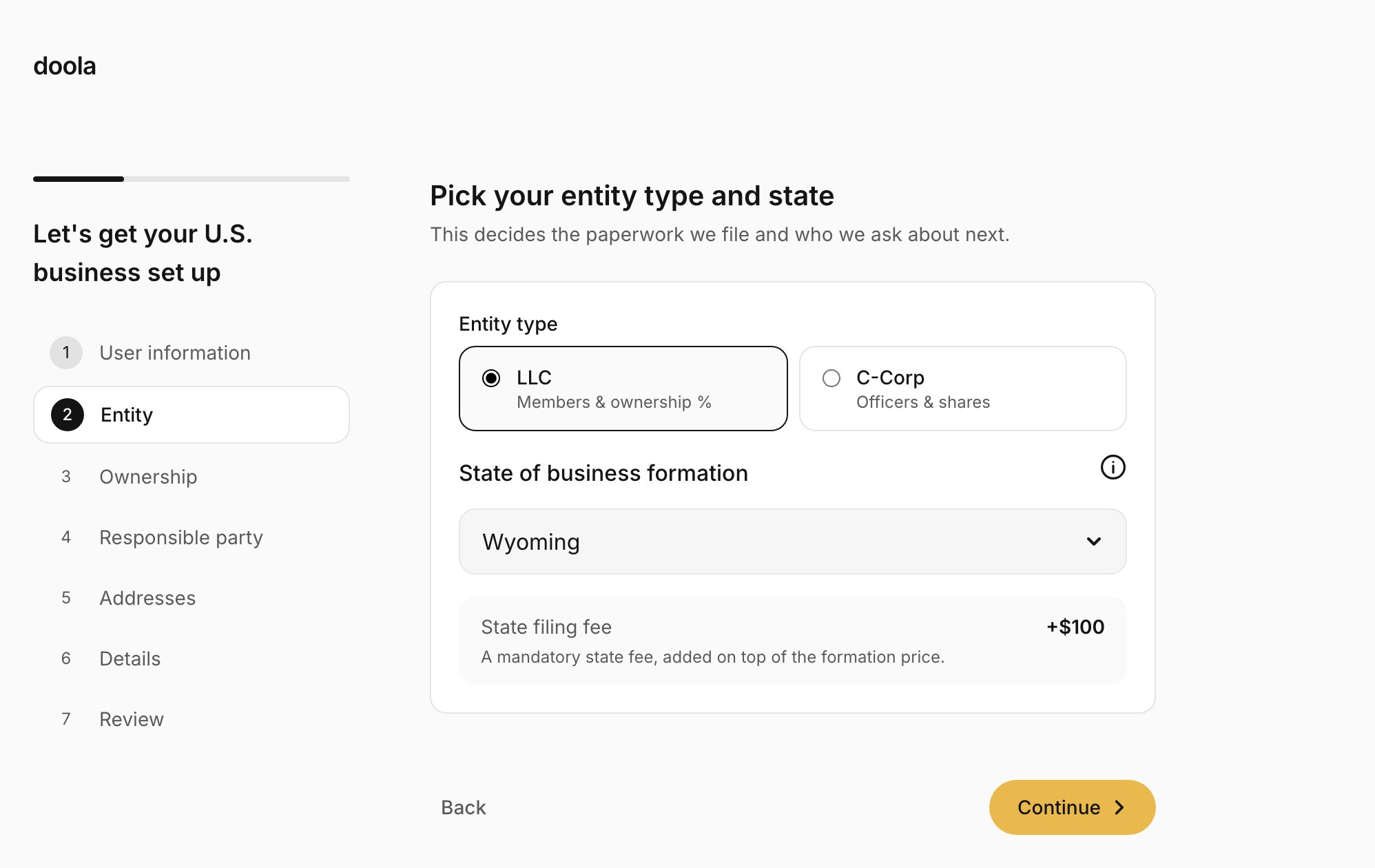
3
Ownership
For an LLC, the members and their ownership, which must total 100%. Members can be people or companies. Shares balance themselves: adding or removing a member splits 100% evenly, and editing one share makes the last member take up the difference. For a C-Corp, the authorized shares and par value, then the President, Treasurer, Secretary and Directors. An SSN or ITIN is optional for each person, and the field formats it as 123-45-6789 while they type.
4
Responsible party
The person the IRS treats as responsible for the company: one of the members or officers, or someone else, with their email address.
5
Addresses
The registered agent is always included, and doola’s agent receives, scans and uploads the company’s mail. The step asks for the principal business address: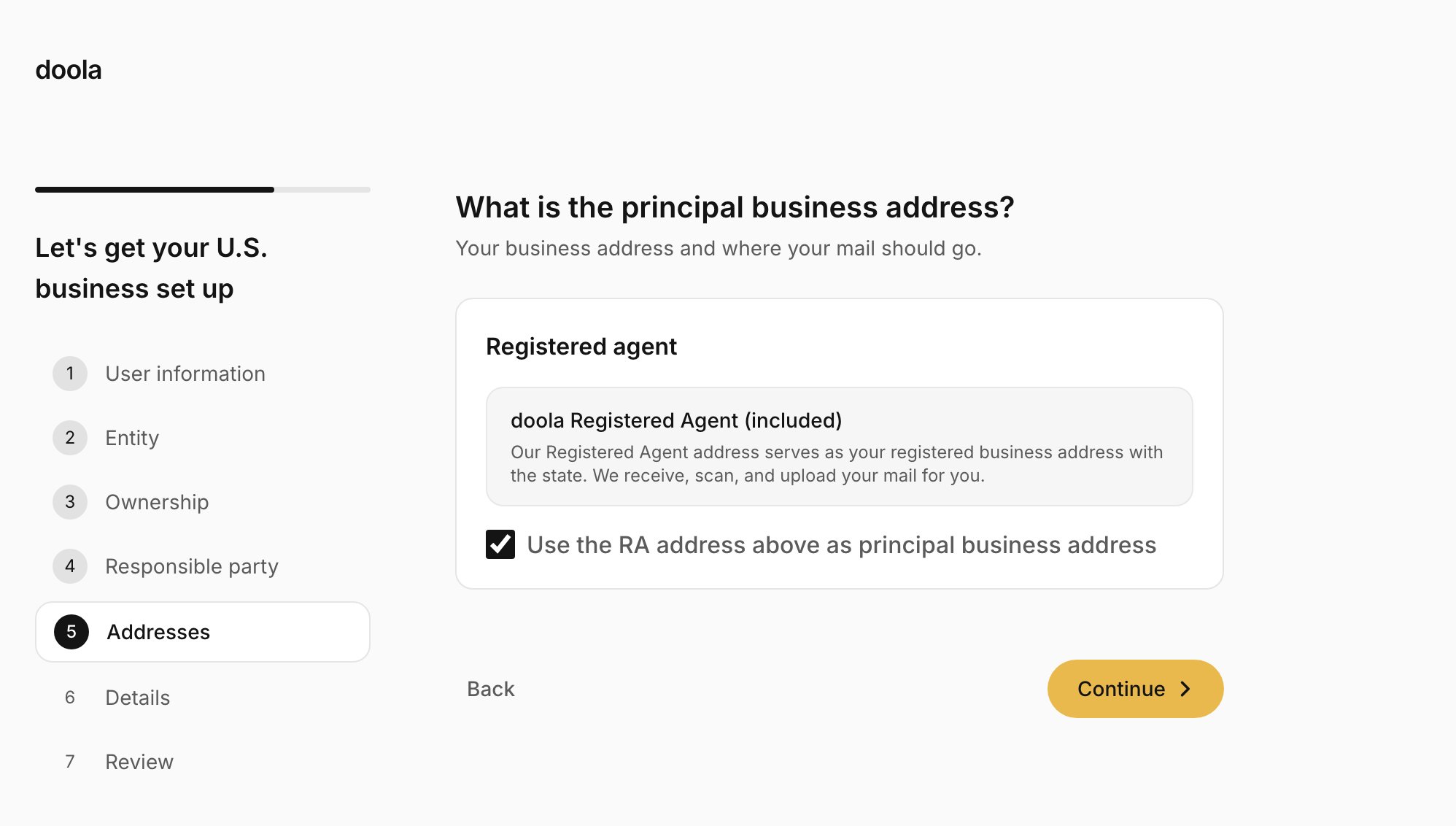
- The registered agent’s address, the default, while “Use the RA address above as principal business address” stays ticked.
- The founder’s own address, anywhere in the US and not necessarily in the formation state, when they untick it.
6
Details
Up to three company names in order of preference, each with its ending, such as LLC or Inc. Words a state forbids are refused on the spot, and words that need extra state approval show a warning. Then a short business description and the industry.
7
Review
Every answer, section by section, with an Edit button on each. Addresses list the registered agent, the principal business address and the mailing address. The founder presses Submit and pay, with a reminder that filing starts after payment.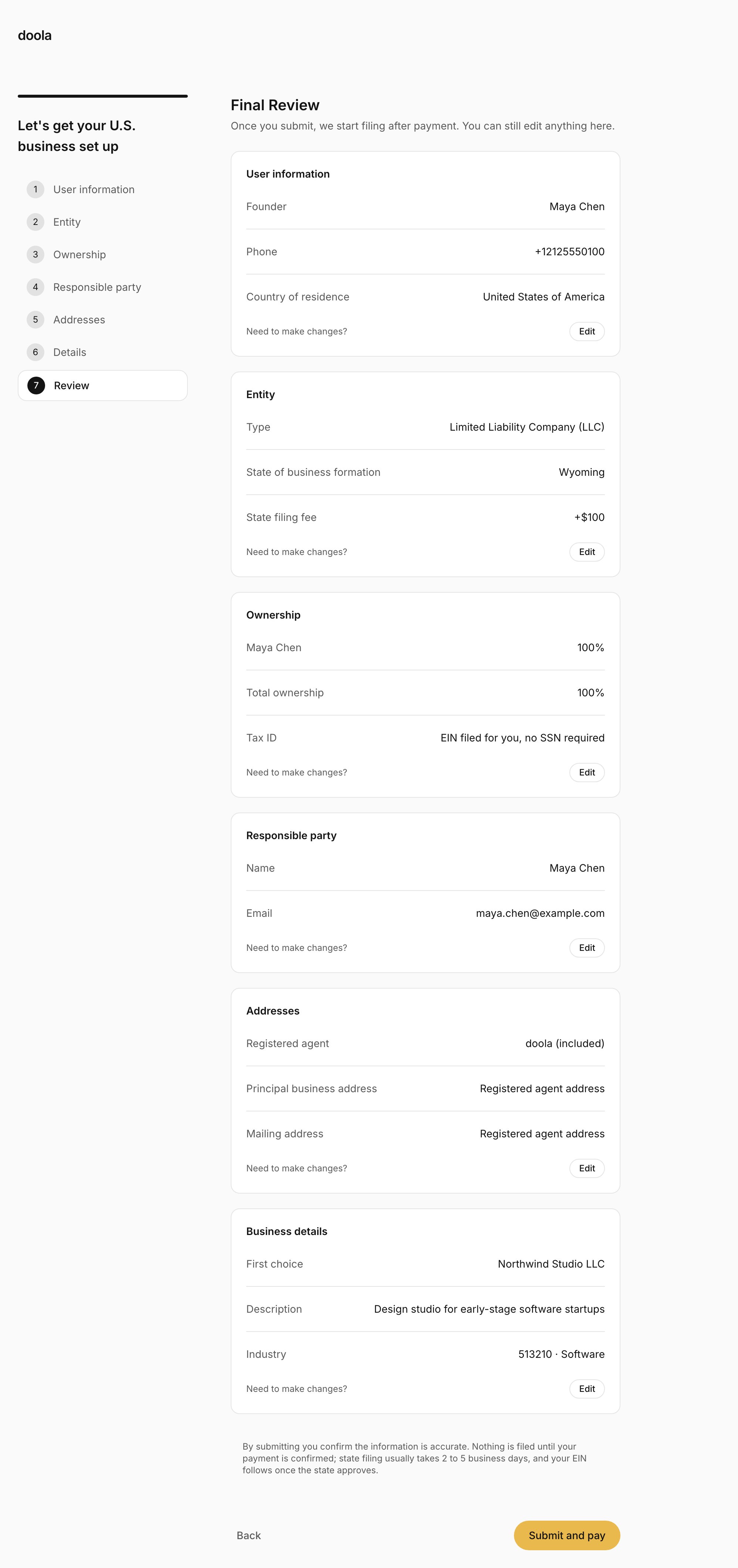
Your checkout
On submit, the SDK hands over to you. Your page opens your checkout, and the founder pays you. See Take payment.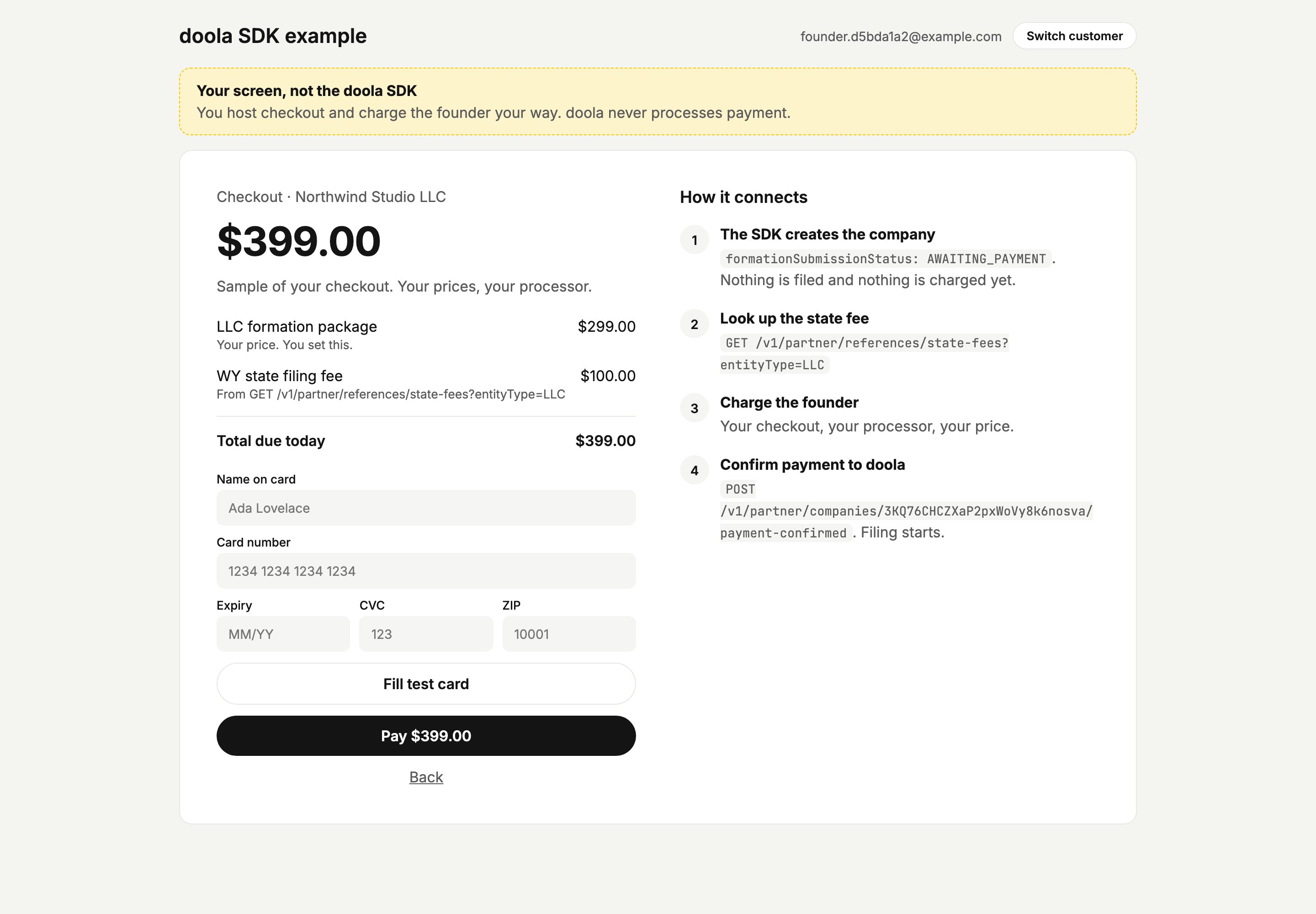
A sample checkout. Yours is your own screen, in your own design.
Payment pending
If the founder comes back to the SDK before you confirm payment, they see that their details are saved and payment is the last step. After a few seconds a small link lets them reopen your checkout. Once 10 minutes have passed since your checkout last opened, a Continue to payment button takes its place, including when they come back on a later day.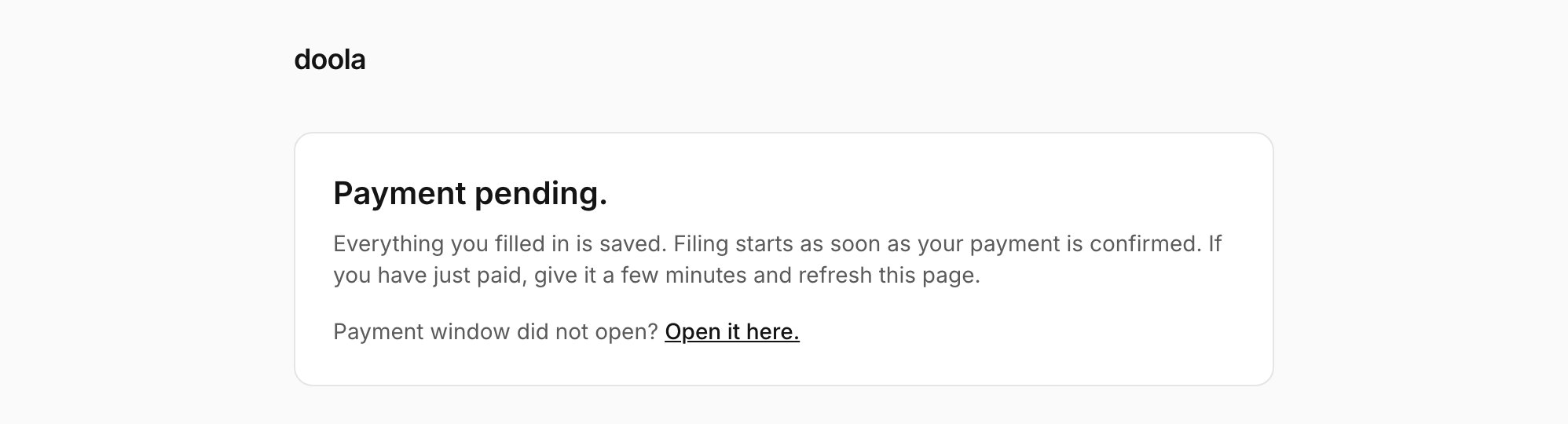
Signing
Once you confirm payment and mount the SDK again, a founder without an SSN signs the IRS Form SS-4 before anything else. Signing happens inside the SDK, with a link to open it in a new tab if it does not render.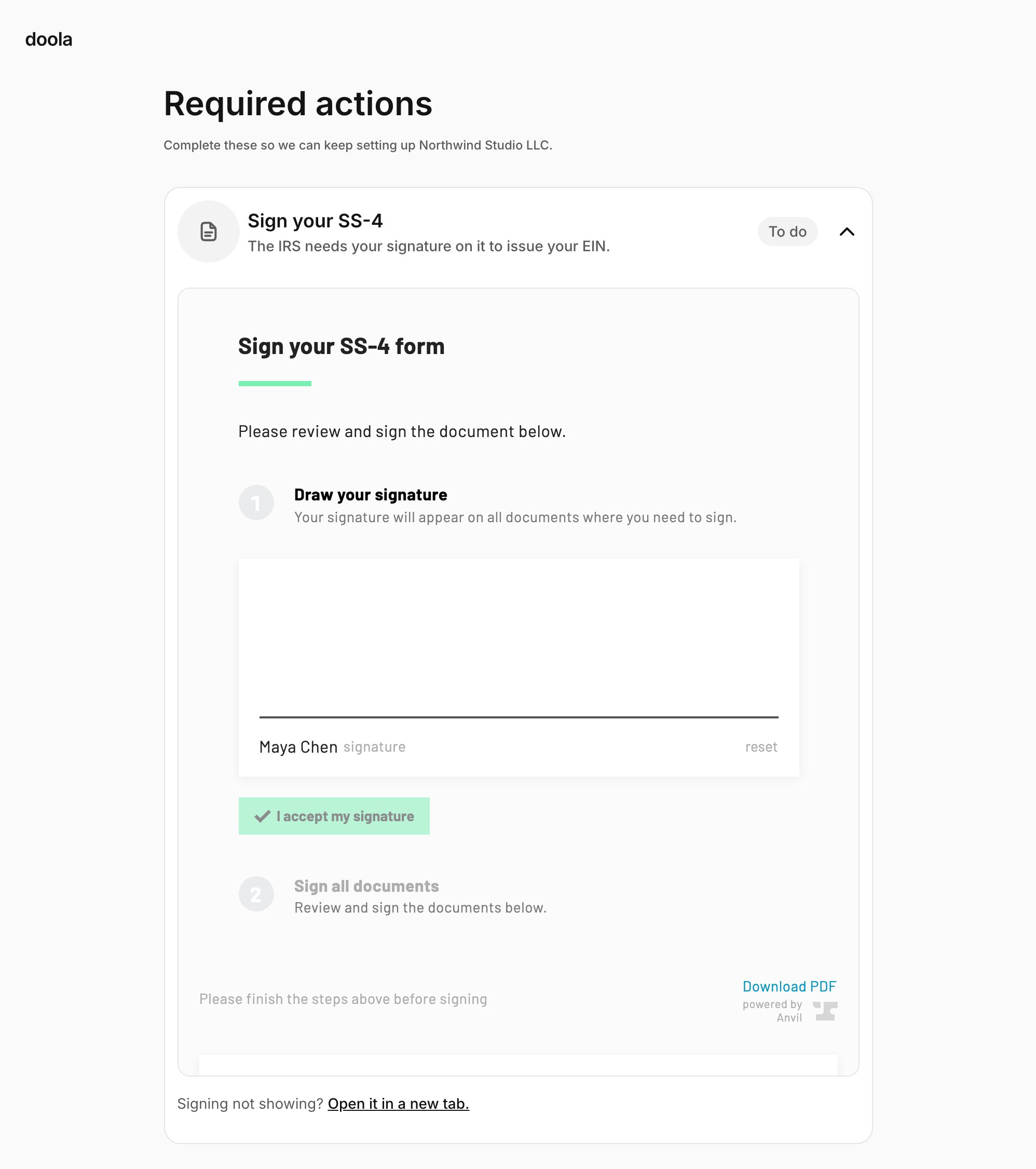
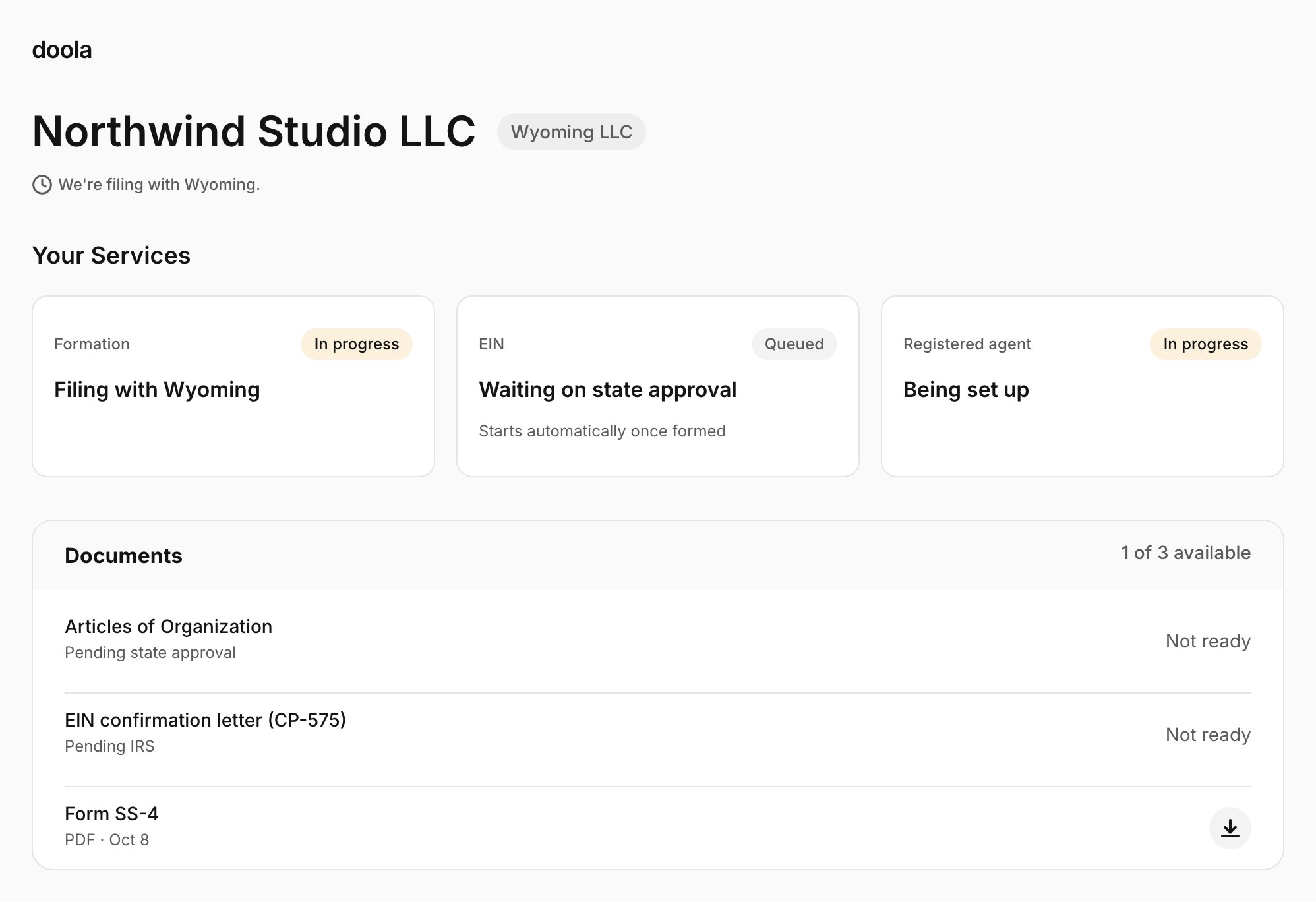
The dashboard
The founder’s company, from then on:- The company name with its state and entity type, and whether it is formed or being filed.
- Their services: Formation, EIN and Registered agent, each marked queued, in progress, active or completed.
- Their documents, each available to download as soon as it exists, with what is still pending from the state or the IRS.
- A Required action banner when doola needs something from them: another signature, or new company names.
When something goes wrong
The SDK explains problems to the founder in plain language and tells them what to do next:
The email, deactivated and user id messages need your session route to forward doola’s error code on a 409 (Create sessions). Without it, the founder sees “We could not start your session.” and “Please contact the team you signed up with.” for each.
Several messages send the founder to “the team you signed up with”, which is you, so make sure your support team knows when to contact doola.