You own checkout. Charge your customer your own price, then confirm the payment so doola starts the formation.
You own checkout. doola never charges your customer, never shows them your price and never handles their card. A formation submitted in the SDK waits at AWAITING_PAYMENT, and nothing is filed until your server confirms payment.
The founder presses Submit and pay on the last step of the wizard. doola creates the company at AWAITING_PAYMENT, and onFormed hands your page its id and nothing else.
Remove the SDK element while your checkout is open, or open the checkout on top of it. If you use the full-screen presentation on phones, removing the element also closes the overlay.onFormed fires again if the founder comes back to an unpaid formation and asks to pay, so opening a checkout for the same company twice must be safe. See Charge each company once.
2
Look the company up on your server
companyId came from the browser, where anyone can change it. Before you show a price, your server reads the company with your secret key, using Get a company, and checks two things:
It is waiting on payment. Charge only while formationSubmissionStatus is AWAITING_PAYMENT. PENDING, SUBMITTED and COMPLETED mean it is already paid. CANCELLED, FAILED and any status you don’t recognise mean it is not payable: never charge it, and never show it as paid.
It belongs to the signed-in customer. Read its owner with Get a customer, using the company’s doolaCustomerId, and compare the email with your signed-in user’s.
const DOOLA_API = 'https://api.test.doola.com'; // https://api.doola.com with a dk_live_ keyinterface Company { doolaCustomerId: string; entityType: 'LLC' | 'CCorp'; state: string; formationSubmissionStatus: string;}async function doola<T>(path: string): Promise<T> { const r = await fetch(`${DOOLA_API}${path}`, { headers: { authorization: process.env.DOOLA_API_KEY! }, // your dk_ secret key, no "Bearer" }); if (!r.ok) throw new Error(`doola ${path} answered ${r.status}`); return (await r.json()).payload; // every response is wrapped in { payload, error }}async function payableCompany(companyId: string, user: { email: string }) { const company = await doola<Company>(`/v1/partner/companies/${encodeURIComponent(companyId)}`); const owner = await doola<{ email: string }>( `/v1/partner/customers/${encodeURIComponent(company.doolaCustomerId)}`, ); // Someone else's company: answer 404, exactly as for one that does not exist. if (owner.email?.toLowerCase() !== user.email.toLowerCase()) return null; const status = company.formationSubmissionStatus; if (status === 'AWAITING_PAYMENT') return { company, alreadyPaid: false }; if (['PENDING', 'SUBMITTED', 'COMPLETED'].includes(status)) return { company, alreadyPaid: true }; // CANCELLED, FAILED, or a status added after you wrote this: not payable. throw new Error(`formation ${companyId} is ${status} and cannot be paid`);}
When alreadyPaid is true, skip the charge and show the founder their company. When it throws, show an error and contact doola.Email is the only key doola’s customer record shares with your user: it does not return the externalCustomerId you send at mint. Minting sessions with externalCustomerId keeps doola’s email in step with yours.
3
Price it on your server
Build the total from the company, never from anything the browser sends:
Your price for the formation, by entityType (LLC or CCorp) or however you package it.
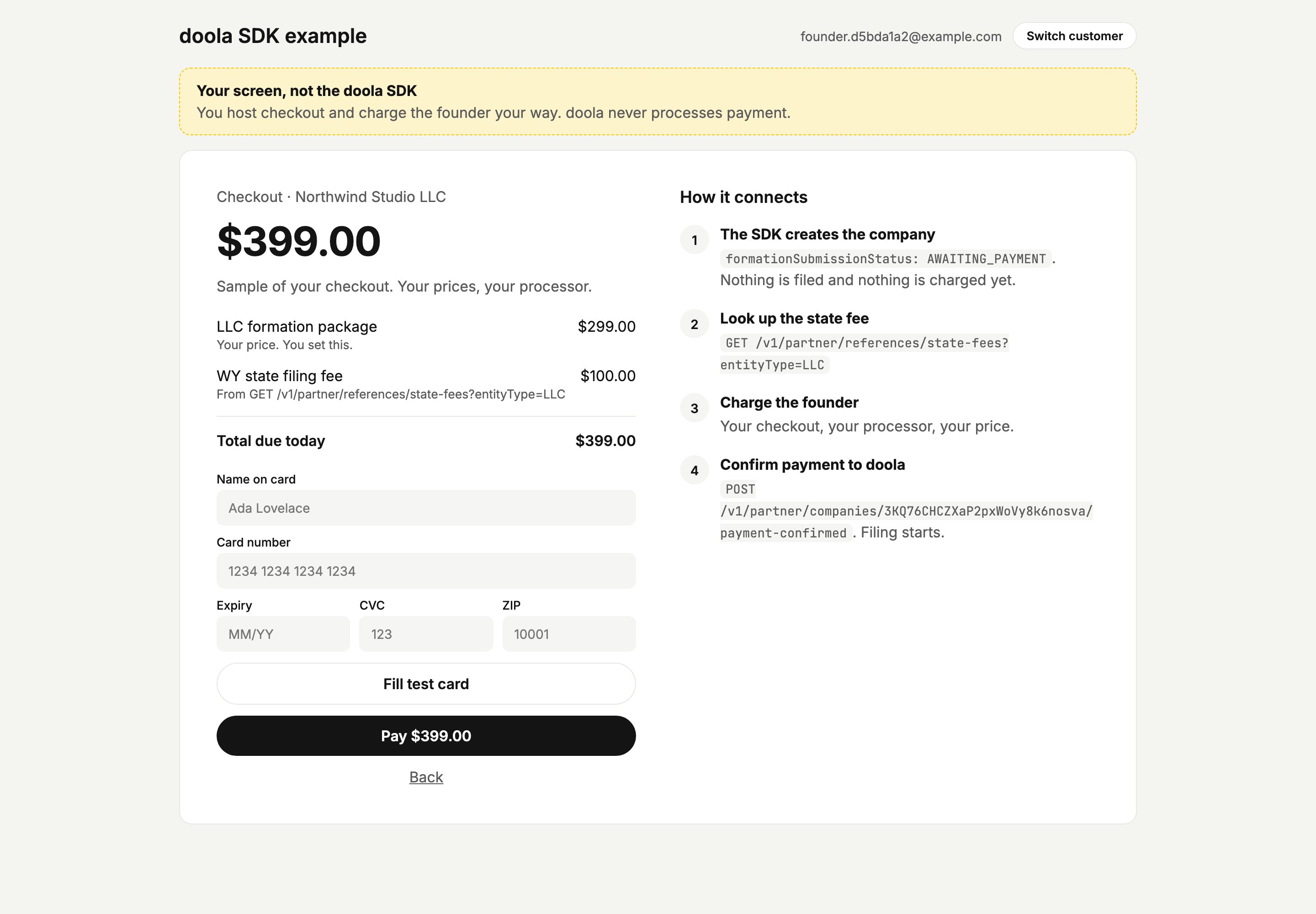
The state filing fee, from List state filing fees for the company’s entityType, matched on its state. The founder already saw this amount in the wizard as “State filing fee +$X”, so show the same number.
const fees = await doola<{ state: string; priceInCents: number }[]>( `/v1/partner/references/state-fees?entityType=${company.entityType}`,);const stateFee = fees.find((fee) => fee.state === company.state);if (!stateFee) throw new Error(`no state filing fee for ${company.entityType} in ${company.state}`);const totalCents = YOUR_PRICE_CENTS[company.entityType] + stateFee.priceInCents;
If the fee is missing, stop the checkout rather than charging without it. Never fall back to zero.The SDK never shows the founder a formation price, so your checkout is where they first see yours.
A sample checkout: the partner's own price plus the state fee from doola.
4
Charge the founder
Charge with your own payment provider. Keep one order per companyId, and give each charge attempt its own idempotency key, for example ${companyId}:${attemptId}. A double click or a second tab on the same attempt then never charges twice, while a retry after a declined card is a new attempt that can still succeed. Providers such as Stripe replay the first result for a key, failures included, so a key per company would keep returning the decline. If the charge fails, do nothing on the doola side: the formation keeps waiting, and the founder can try again.
5
Confirm the payment
Once the charge succeeds, call Confirm payment from your server. This is what starts the formation.
async function confirmPayment(companyId: string, chargeId: string): Promise<void> { const r = await fetch( `${DOOLA_API}/v1/partner/companies/${encodeURIComponent(companyId)}/payment-confirmed`, { method: 'POST', headers: { authorization: process.env.DOOLA_API_KEY!, 'content-type': 'application/json' }, // Your own reference, such as a payment intent or order id. Logged, never verified. body: JSON.stringify({ partnerReference: chargeId }), }, ); // Safe to retry: a second confirmation for the same company changes nothing. if (!r.ok) throw new Error(`doola payment-confirmed answered ${r.status}`);}
A successful confirmation answers 200 with an empty body. The company moves to PENDING and doola starts filing it.
6
Show the founder their company
Replace the SDK element with a fresh one, for example element.replaceWith(doola.create()), or append a new doola.create() if your checkout already took the old one off the page. Never leave the old element beside the new one: each create() is its own iframe, and the old one keeps showing the payment screen. The new iframe shows the founder’s company, starting with any signature the IRS needs.The payment screen inside the iframe does not watch for your confirmation, so it only changes when the SDK mounts again. If the founder stays on it, it tells them to refresh after paying.
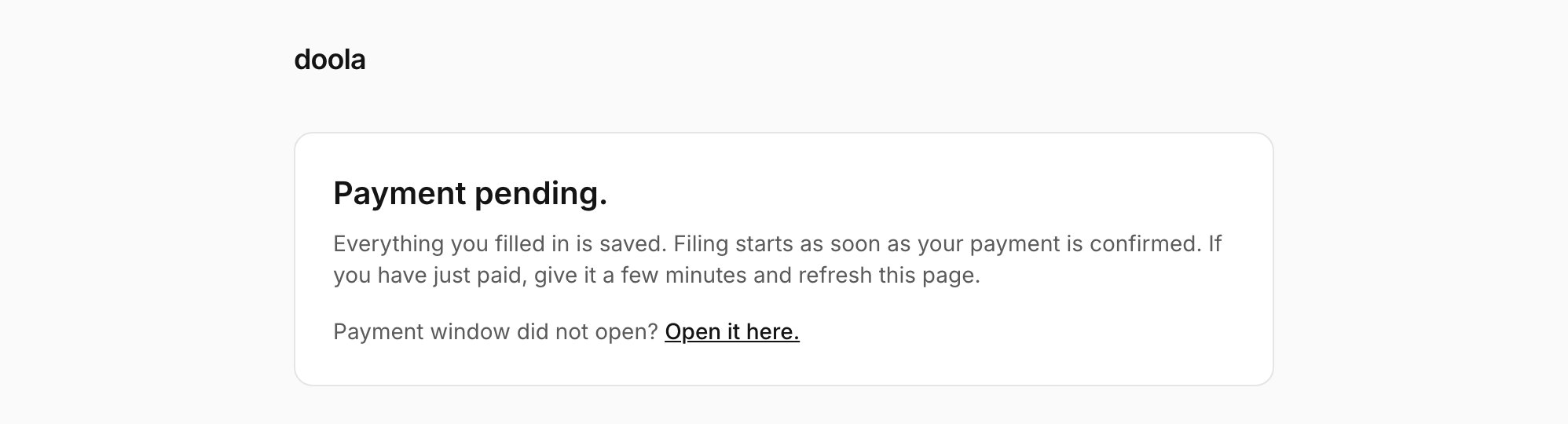
Right after they submit, the iframe shows “Your company details are in. Payment is the last step.” Once your checkout has had a few seconds to open, it adds a small “Payment window did not open? Open it here.” link. Once 10 minutes have passed since your checkout last opened, including when the founder comes back on a later day, a Continue to payment button takes the link’s place. Both fire onFormed again.
An unpaid formation, as the founder sees it when they come back.
onFormed can fire more than once for the same company: when the founder submits, each time they press Continue to payment, and in more than one tab. Key everything on companyId:
One order per company. Create or reuse your order by companyId when the checkout opens.
Check before charging. Read the company again right before you charge. Skip the charge if it is already paid, and refuse it if it is CANCELLED, FAILED or a status you don’t recognise.
Idempotent charges. Give each charge attempt its own idempotency key under that order, such as ${companyId}:${attemptId}, so a double click never charges twice and a retry after a decline still goes through.
doola sends no webhook while a formation waits on payment: the first event for an SDK company is company_formation_submitted, after you confirm. So your own records are the source of truth for unpaid formations.
Save companyId with your order as soon as your checkout opens.
Sweep charged orders that were never confirmed. For each, retry the confirmation. Run it on a schedule, for example every hour.
Sweep open orders. Read each company with Get a company. CANCELLED means the order is void. A company that is already past AWAITING_PAYMENT was paid.
To find a customer’s companies without an order, list them with GET /v1/partner/companies?customerId={doolaCustomerId}.
In sandbox, use your test card or your provider’s test mode, then confirm with your dk_test_ key exactly as in production. To move the company on to formed and EIN issued, use the sandbox playgroundafter you confirm payment. See Testing.